Offline library
Load sheet music onto your phone and open it without internet in the rehearsal room or on stage.
In a rehearsal room in the basement or on a stage with poor reception, you don't want to rely on the internet. With the offline library you save your sheet music directly on the device – and open it anytime, even with no connection at all.
Phone app only
The offline library is available only in the app on your smartphone or tablet. It's not available on a computer in the browser.
Save sheet music offline
Select a piece
Open a piece and tap "Save offline". If needed, choose the part(s) you want to take with you.
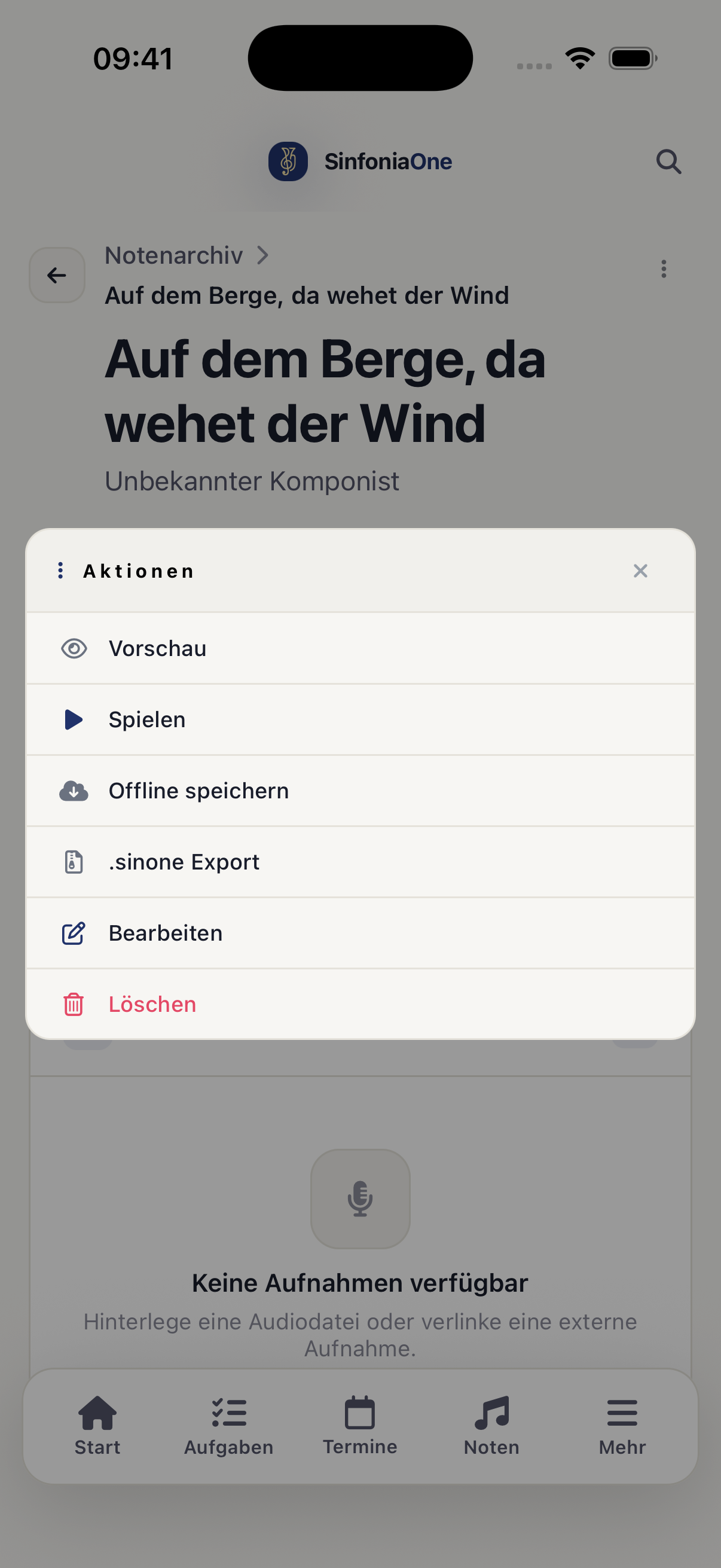
Wait for the download
SinfoniaOne downloads the sheet music to your device. It's best to do this at home beforehand, while you still have good internet.
Open and play offline
You'll find your saved sheet music collected in the menu under "Offline". From there you open it directly in the performance player – with no internet at all. Your notes are available offline too and keep getting saved.
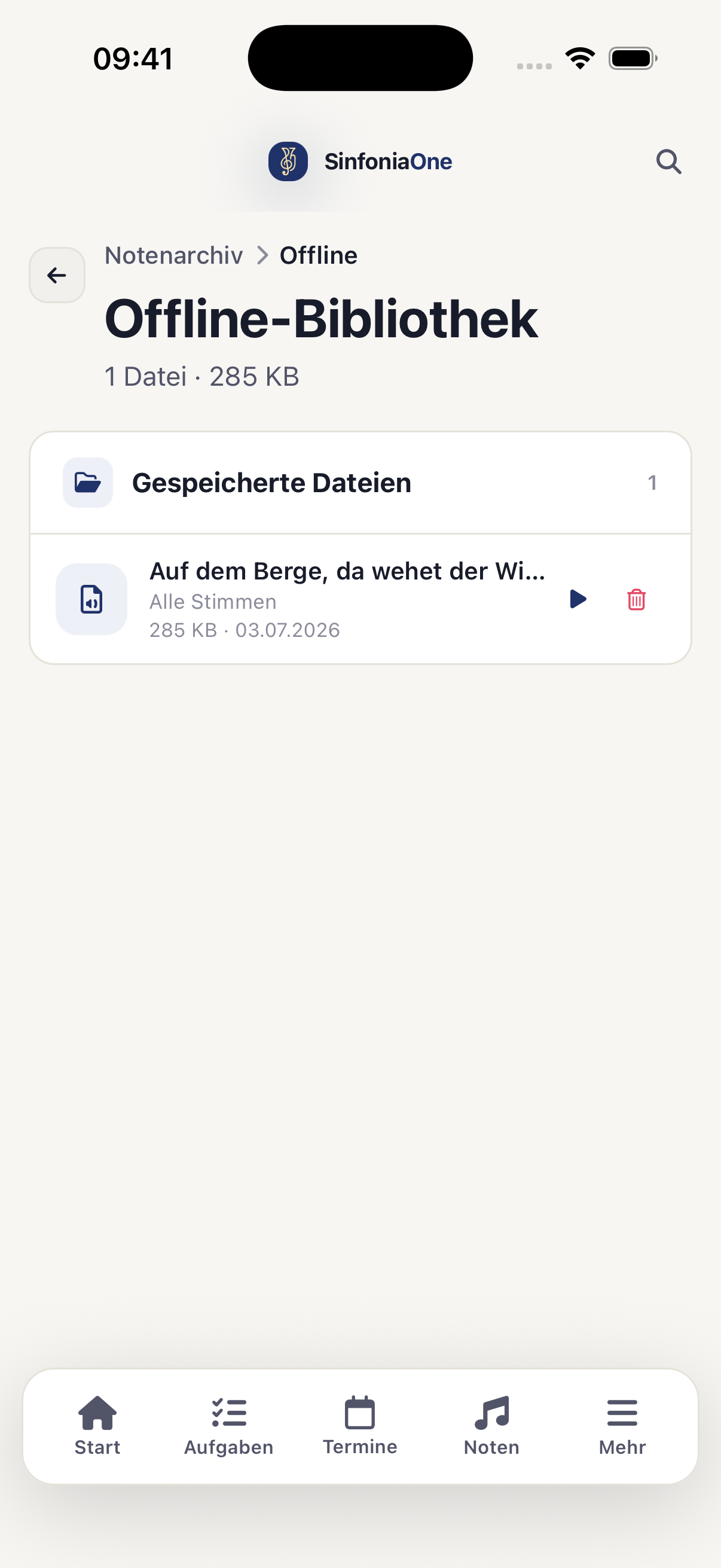
Manage and delete
In the offline library you see which pieces are saved locally. If you no longer need a piece on the device, you can delete it there again and free up storage space. In the archive itself the piece is of course preserved – you're only removing the downloaded copy on your phone.
Keeping it up to date
If the sheet music manager changes a part while you have it offline, you'll still see your saved version. Just re-download the piece when needed to get the current version.