Digitizing paper sheet music
Upload scanned sheet music, have it recognized automatically and turn it into a piece with just a few review steps.
This is the usual way to create a piece: you upload the scanned PDFs – SinfoniaOne suggests a title, composer and the matching part for each page. All you do is review it and create the piece. Creating a piece part by part by hand is only worth it when you have ready-made individual files (see Pieces & parts).
The upload becomes a draft, and that draft stays: you can stop halfway through and carry on later – the next evening, on a different device. And you are not alone with it. Everyone in your band with the necessary rights (sheet music archivist and administrator) sees open drafts and can take over the assignment. Whoever scans does not have to be the one who assigns.
Best on a computer
Uploading many PDFs and reviewing them is most convenient on a computer. It works on your phone too.
How digitizing works
Start the analysis
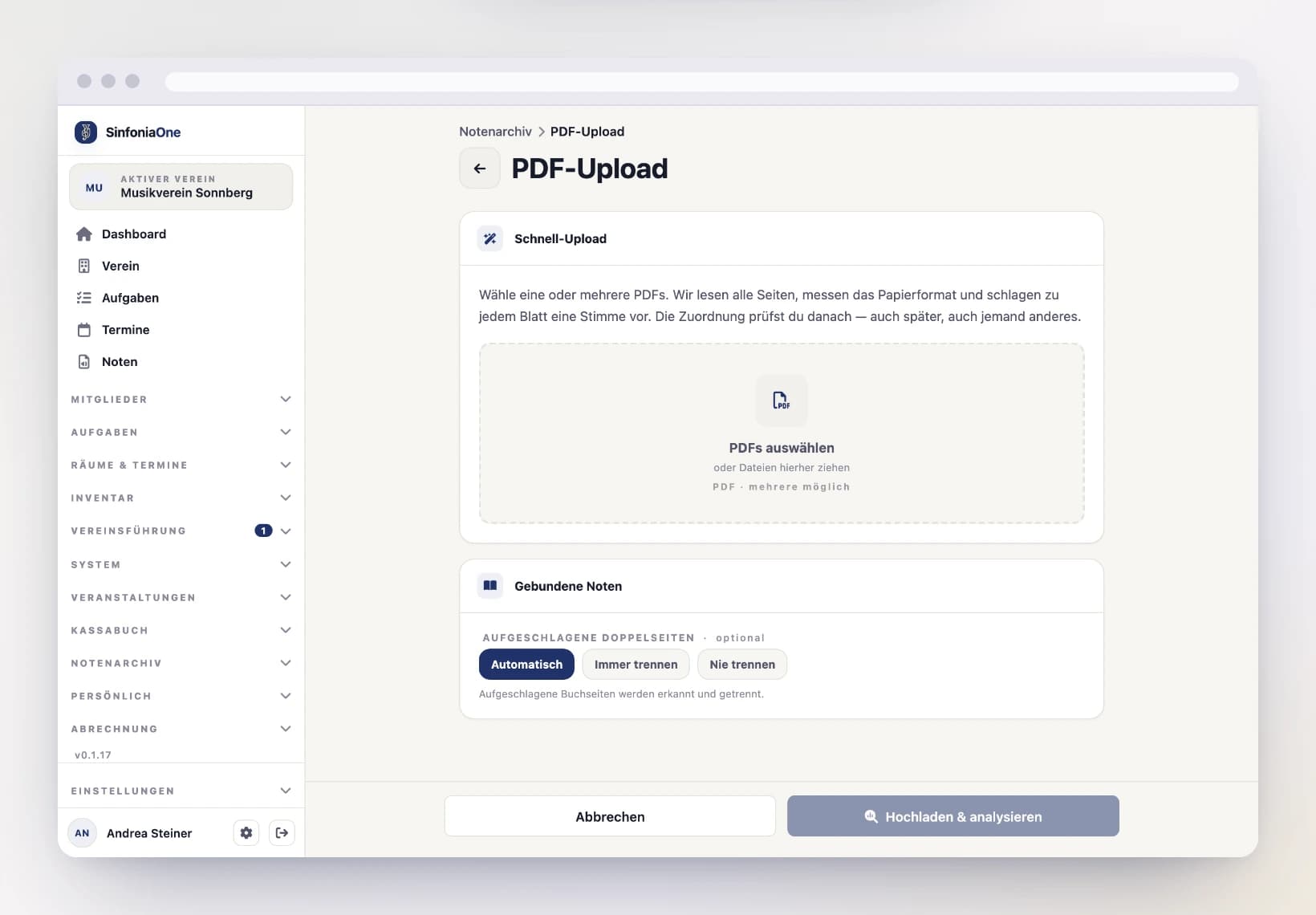
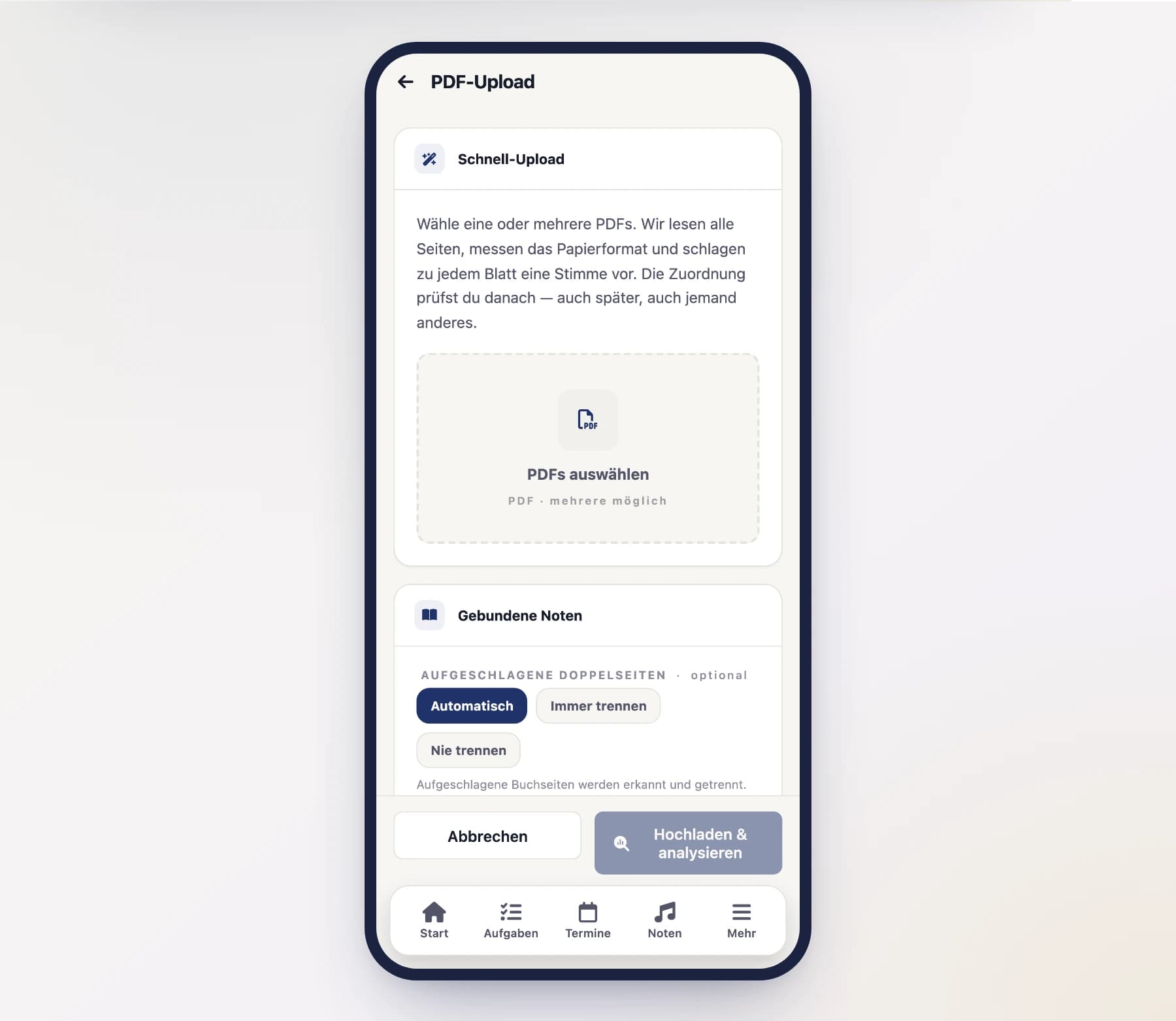
Open "Sheet music" in the menu and tap "Upload piece". Upload your scanned PDFs there – several at once is fine. On a computer you can also drag them straight onto the dashed field (see Uploading files).
Name the files after the part
If a file is called “2. Trompete in B.pdf”, SinfoniaOne assigns every page in it to that part — including the ones with nothing written at the top. It is the most effective help you can give. A leading number such as “03” is recognized as the number within the set and is not mistaken for the part.
Below that you'll find “Bound sheet music”. If you scanned a book lying open — two music pages on one wide sheet — leave it on “Automatic”: SinfoniaOne finds the gutter and turns it into two pages. For landscape march cards that are not spreads, choose “Never split”.
The analysis runs — no need to wait
SinfoniaOne now reads through the pages and tries to recognize the instrument, part, title, composer, genre and the publisher. While doing so it also measures how large each sheet is (A4, A3, B4 … or a non-standard size), straightens skewed scans and brightens up faded copies. A sheet that went through the feeder sideways or upside down is one you rotate yourself in the next step — that does not happen automatically.
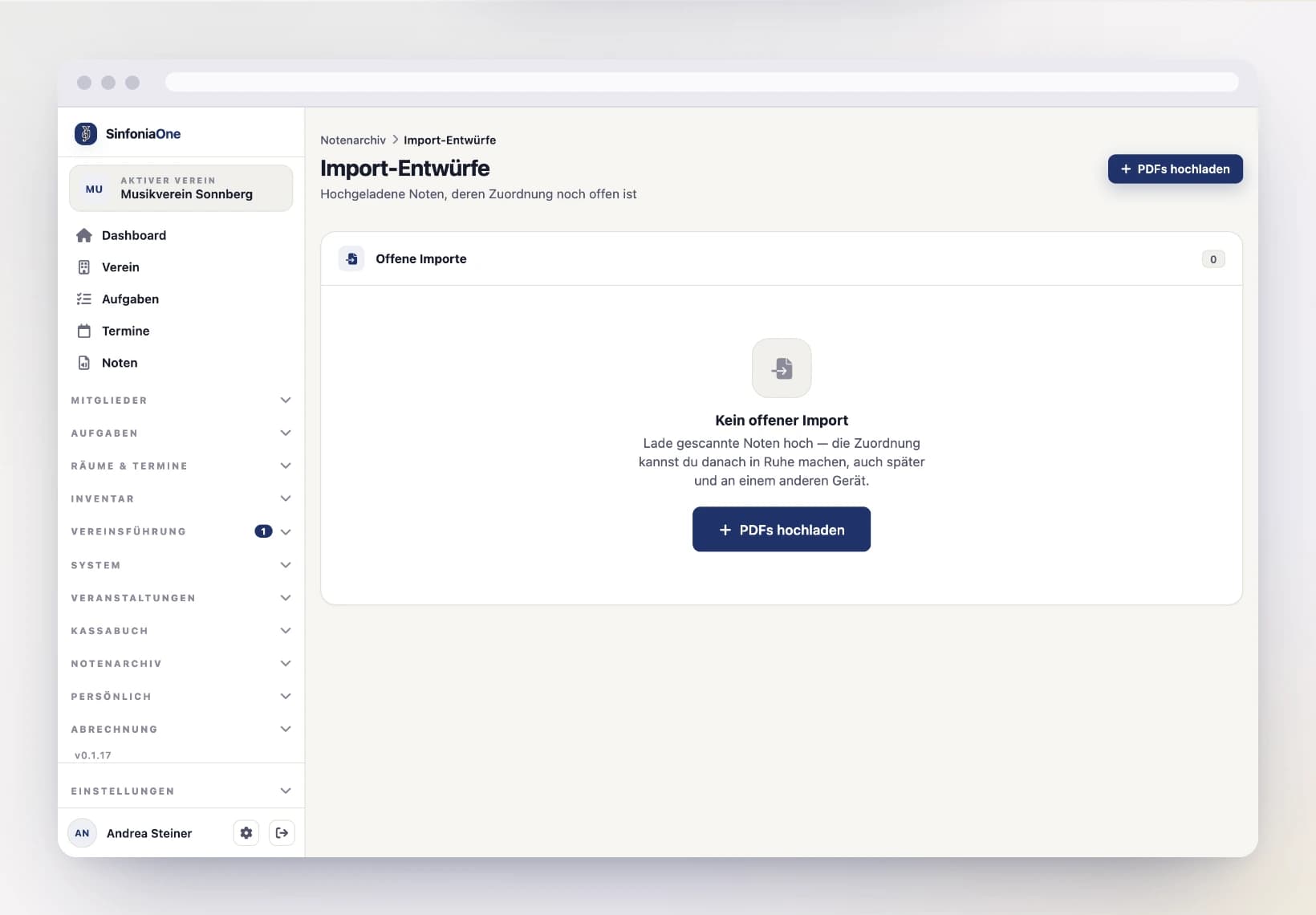
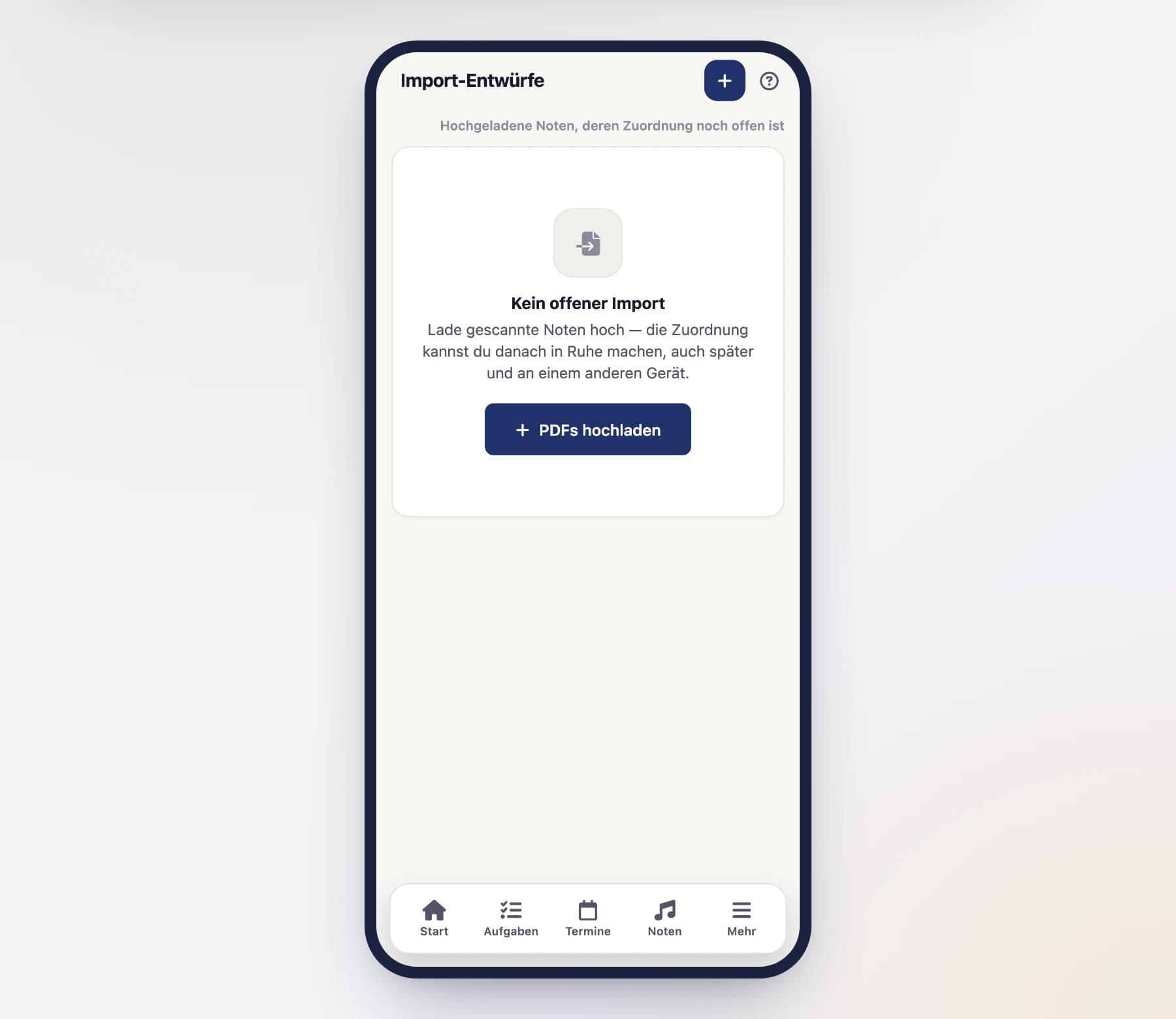
That takes a moment. In the meantime you can keep using the app or close it entirely — afterwards the draft is waiting for you under “Sheet music” → “Import” → “Import-Entwürfe” (import drafts).
Review and correct the suggestions
Now comes the most important step. SinfoniaOne shows you its suggestions: which page belongs to which part, and which title and composer it recognized.
Everything you do here is saved immediately. There is no “submit” any more — you can leave at any time and carry on later. If someone else is working on the same stack right now, you'll see it at the top by their name and on the cards they are looking at. You can split the work: one takes the trumpets, one the clarinets.
Go through it carefully:
- Check the part, title, composer, arranger and genre and correct them if needed.
- Add Purchase & publisher: publisher, price, purchase date, where you bought it and the order number. SinfoniaOne suggests the publisher from the copyright line. All of it is optional — but here it costs you a moment, whereas later someone would have to dig out the invoice.
- Record "Solo for …" if one part plays a solo in this piece.
- Assign pages to parts and drag them into the right order.
- Rotate sideways sheets: open the sheet in the large view (“Zoom”) and straighten it under “BLATT” with “Links drehen” (rotate left) or “Rechts drehen” (rotate right). Four taps bring it back to where it started.
- Check the spreads: anything that came from a book is already split and labelled “linke Hälfte” (left half) or “rechte Hälfte” (right half). If the split line sits crooked, open the sheet in the large view and tap the gutter in the image. Split a missed spread with “Doppelseite teilen”, undo a wrong split with “Trennung aufheben”. If the setting was wrong for the whole stack, tick the pages (checkbox at the top left of each card) and do it in one go from the bar at the bottom.
- Select a cover.
Ticking many pages at once
The checkbox at the top left of each card ticks that page. For a whole run you do not have to tap every one: tick the first page, hold Shift (⇧) and click the last — everything in between is ticked too. On a phone, long-pressing the checkbox does the same. Pages you ticked earlier stay ticked, so you can collect several runs.
The bar at the bottom then works on all ticked pages at once: add a part to all of them, clear their parts, split spreads or undo the split. For a clarinet part spread over forty sheets that is two clicks instead of forty.
Large view: read it and assign right there
Tap a page preview (“Zoom”) to see the sheet full screen. You can do everything from there without leaving the large view: assign a part (tap an OCR suggestion, or type in the search field and pick the hit), remove assigned parts again, set the cover — and page to the previous or next sheet with the arrows on the left and right. Every sheet starts with an empty search field; on a computer the cursor is already in it — type, and Enter takes the first hit. As long as the search field is empty, the ← and → keys page too, and Esc closes the view.
After rotating: “Stimme neu erkennen”
Recognition could not read a sideways sheet at all: it looks for the part name in the top strip of the sheet, and on a rotated scan that strip held the left margin. Once you have straightened it, tap “Stimme neu erkennen” (recognize part again) — right below the rotate buttons. SinfoniaOne reads this one sheet again and suggests a part. It takes a few seconds; meanwhile the button reads “Wird gelesen…”.
The suggestion stays marked “PRÜFEN” (check) afterwards. The big run leans on the whole stack (following pages inherit the part of the page before, for instance) — for a single sheet only what is printed on it counts. If it finds nothing, it says so and leaves what you had untouched.
Your own assignment is safe. If you already gave the sheet a part by hand, the button leaves it alone — it sits right below the rotate buttons, and a misplaced tap there must not cost you your work.
Books scanned open
A bound volume becomes one wide spread when scanned — and there are often two different parts on it. SinfoniaOne splits them before reading, so each half gets its own heading and therefore its own part. On a phone that is the difference between readable and unreadable: a landscape sheet becomes tiny on screen.
Parts spanning several pages
When a part runs over several pages, the instrument is usually printed on the first sheet only. SinfoniaOne therefore carries the part forward: every following sheet without a heading of its own is suggested the part of the sheet before it. If one file holds several parts, it stays a suggestion that is flagged for review. And when a sheet reads “1./2. Trompete”, SinfoniaOne suggests both parts at once — the following pages inherit them too.
The whole stack counts
One upload is one piece, and assigning the same part twice is the exception. If two sheets claim the same part, the clearer claim keeps it and the other moves to the next best one — if a sheet only says “Trompete in B” and another sheet has already taken the first trumpet, the second one is what remains. Where the doubt cannot be resolved, the sheet is flagged for review instead of quietly settling on the first part.
Suggestions are only a starting point
Recognition works with text patterns and is designed for wind bands – it guesses based on what's printed and isn't always right. Uncertain spots are marked with "REVIEW". Check every suggestion before you save – especially the assignment of pages to parts.
Create the piece
Once you're happy, tap “Stück anlegen” (create piece). SinfoniaOne creates one piece from it – with one merged PDF per part, in the paper size it measured. The draft and the uploaded files are removed in the process; from now on you'll find the piece in your sheet music archive just like any other.
Not finished yet? Then tap “Später” (later) — the draft stays where it is. “Verwerfen” (discard) deletes it along with the uploaded PDFs.
Recognition gets better over time
SinfoniaOne remembers your corrections and recognizes similar sheet music more reliably next time. The more you digitize, the less you have to fix – it happens automatically in the background. Learning happens for your band first: how you name your parts counts for more than anything learned elsewhere.
Finding open imports
All drafts live under “Sheet music” → “Import” → “Import-Entwürfe” (import drafts). There you see who started which stack and how many pages it holds. A draft nobody touches for three months is removed automatically, together with its files.
You get a reminder first
A draft never disappears silently: one week before it expires, everyone allowed to edit drafts (music archivists and administrators) gets a notification — as a push alert, and by email if you want it. You set both under “Settings” → “Notifications” → “Noten-Import” (sheet music import); email is off by default there. In the list, such a draft is marked “läuft in 3 Tagen ab” (expires in 3 days).
The deadline counts from the last edit: as soon as someone works on the draft again, the three months start over.
Who can see drafts
A half-finished import is work in progress, not archive content: it is visible only to sheet music archivists and administrators. Neither members nor the conductor nor the board get to see it — only the finished piece is there for everyone whose sheet music visibility allows it.