Birthdays
Your club's birthday calendar – see who has a birthday and when, in the month sheet or across the whole year.
Birthdays in a club are usually noticed too late. The birthday calendar therefore turns the member register around once: not alphabetically by name, but by the day of the year. You will find it in the menu under Members › Birthdays.
The calendar comes in two sizes, and you switch them on the calendar itself – with the symbol on the right of its header:
- Small – the calendar sheet of one month. The view for congratulating someone.
- Large – every month of the year in one go. The view for planning.
Tapping ⤢ (larger) turns the month sheet into the whole year; ⤡ (smaller) in the same place takes you back to the month.
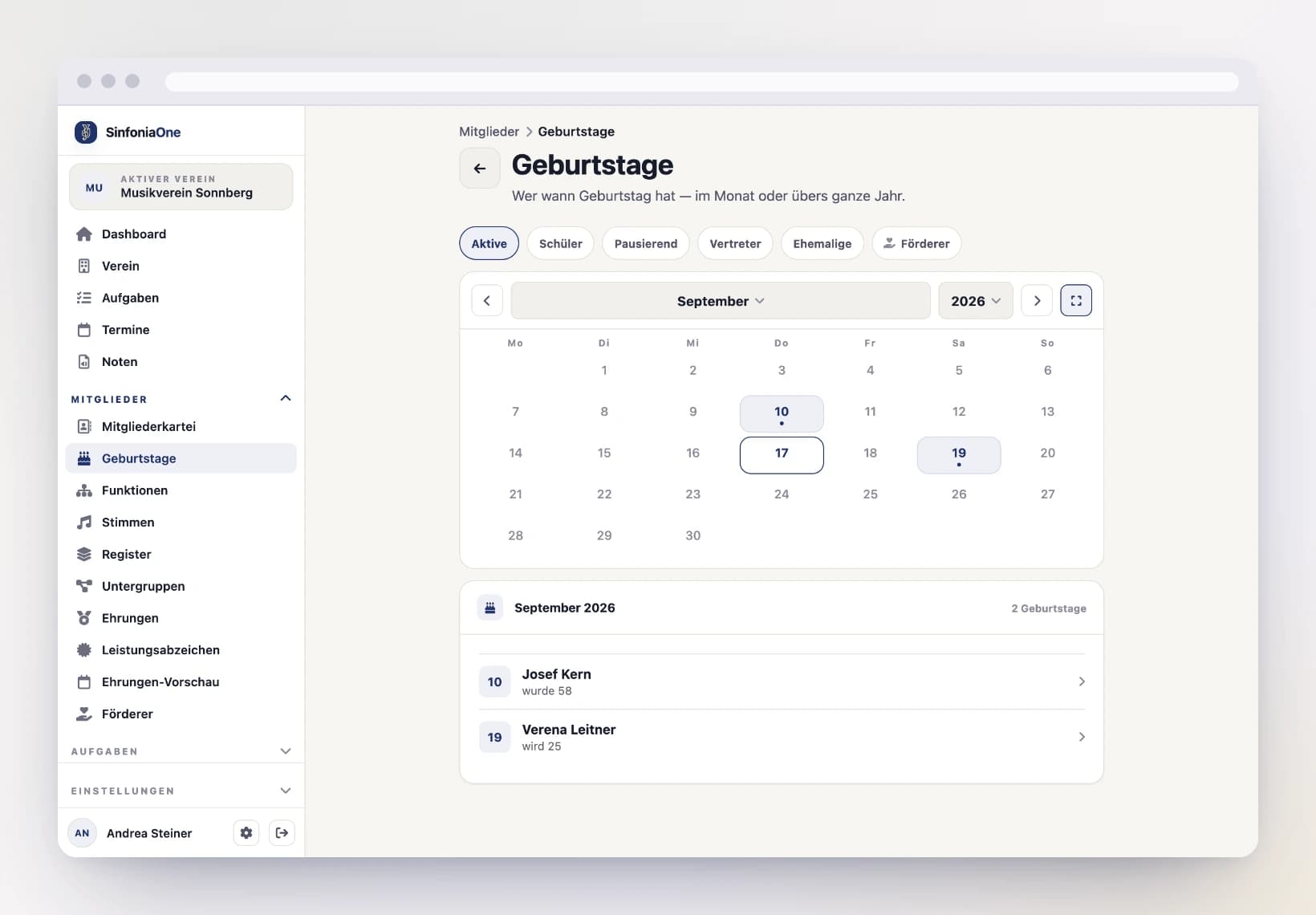
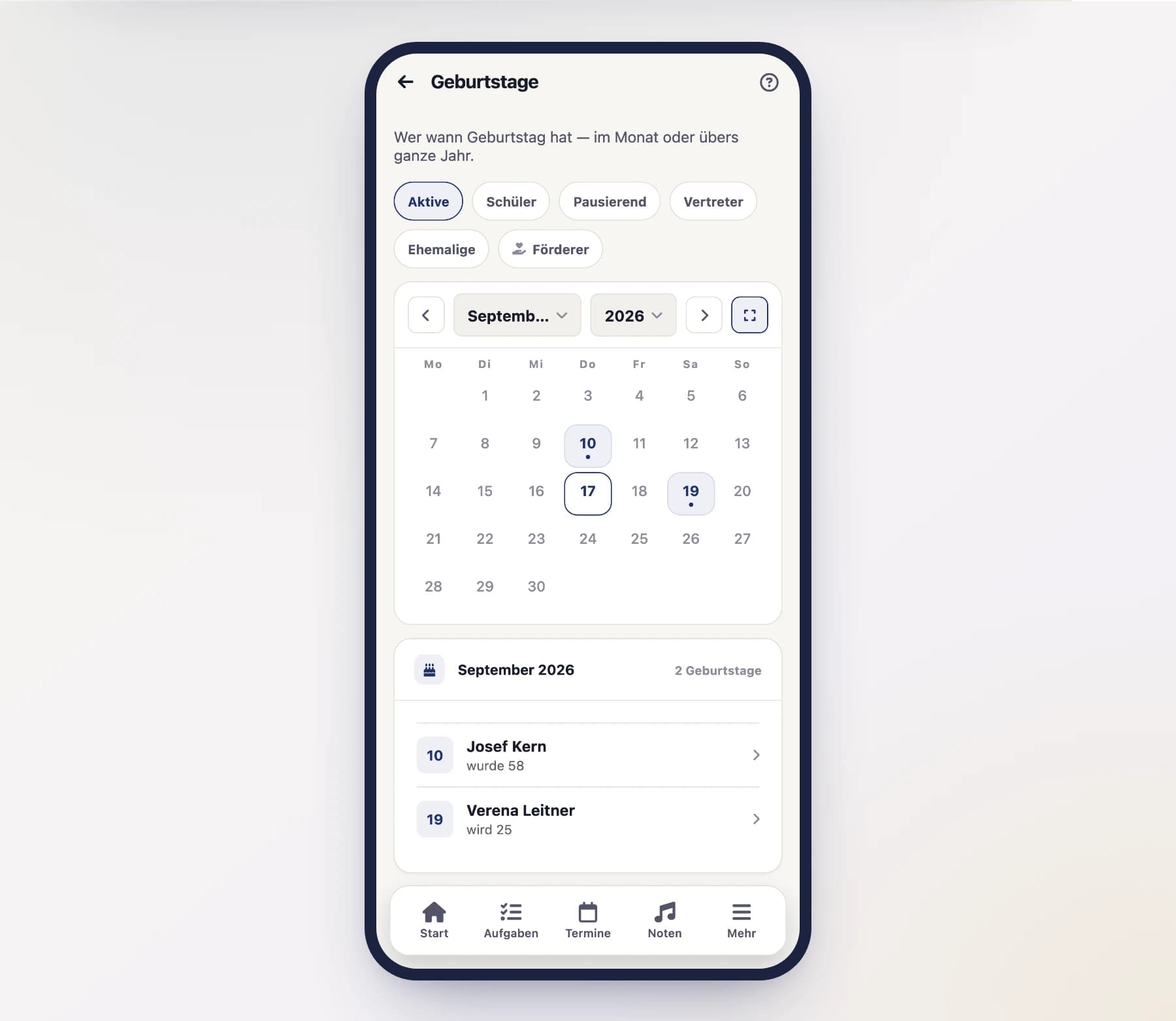
Month sheet and list of names
At the top there is a calendar sheet for the month. Days with a birthday are highlighted and carry a dot; a wider dot means more than one person has a birthday that day. Today is outlined.
Below it the same days appear again as a list of names – with the age the person reaches this year (“turns 41”) and a Today badge when the day has come. Tapping a row opens that person's register entry.
- Browsing: the arrows to the left and right above the sheet.
- Jumping: the two fields in the middle – one for the month, one for the year.
- One exact day: tap a marked day in the sheet and the list shows only that day. “Whole month” (or tapping the day again) takes you back.
Days without a birthday cannot be tapped – there would be nothing to show.
The whole year at once
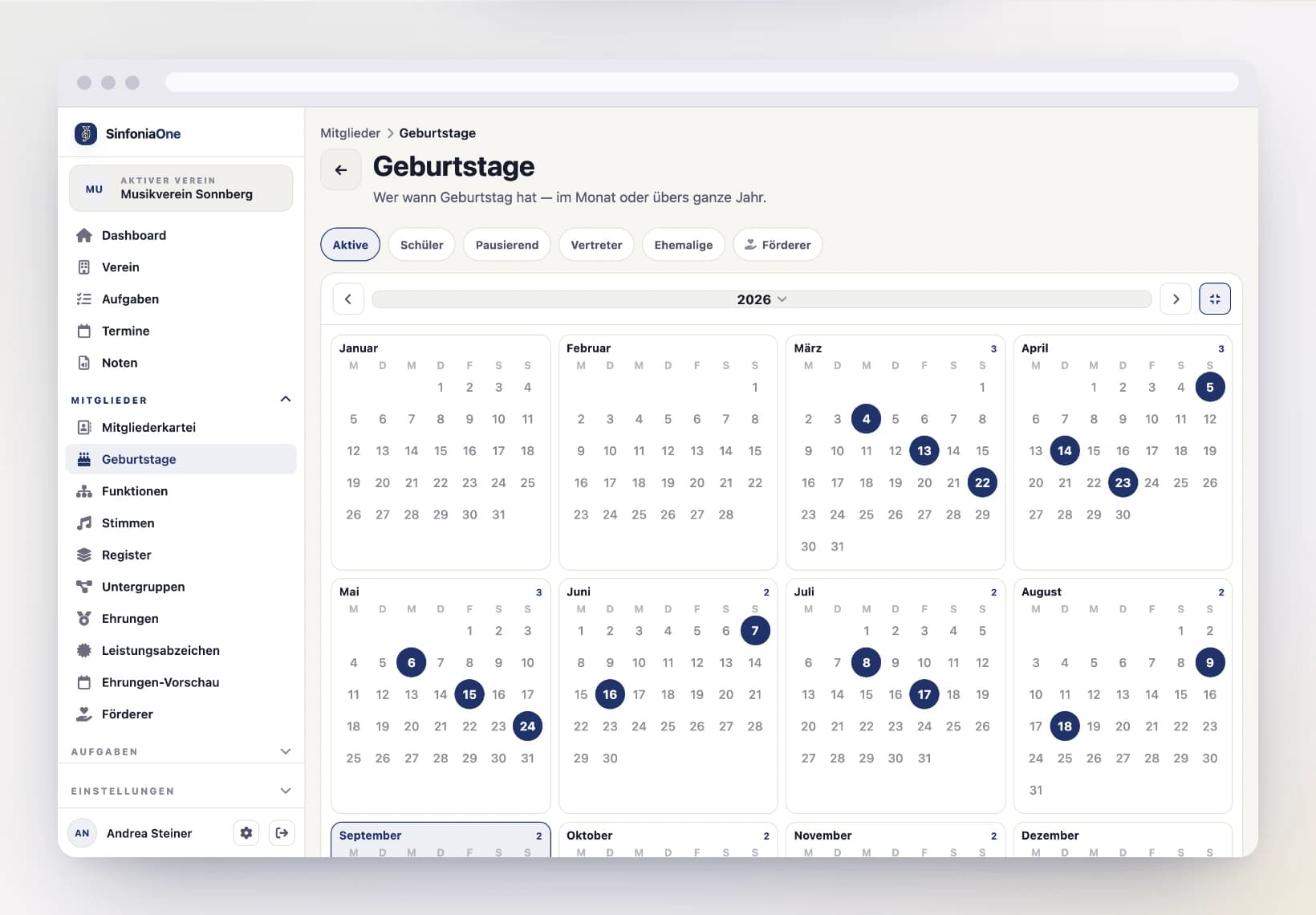
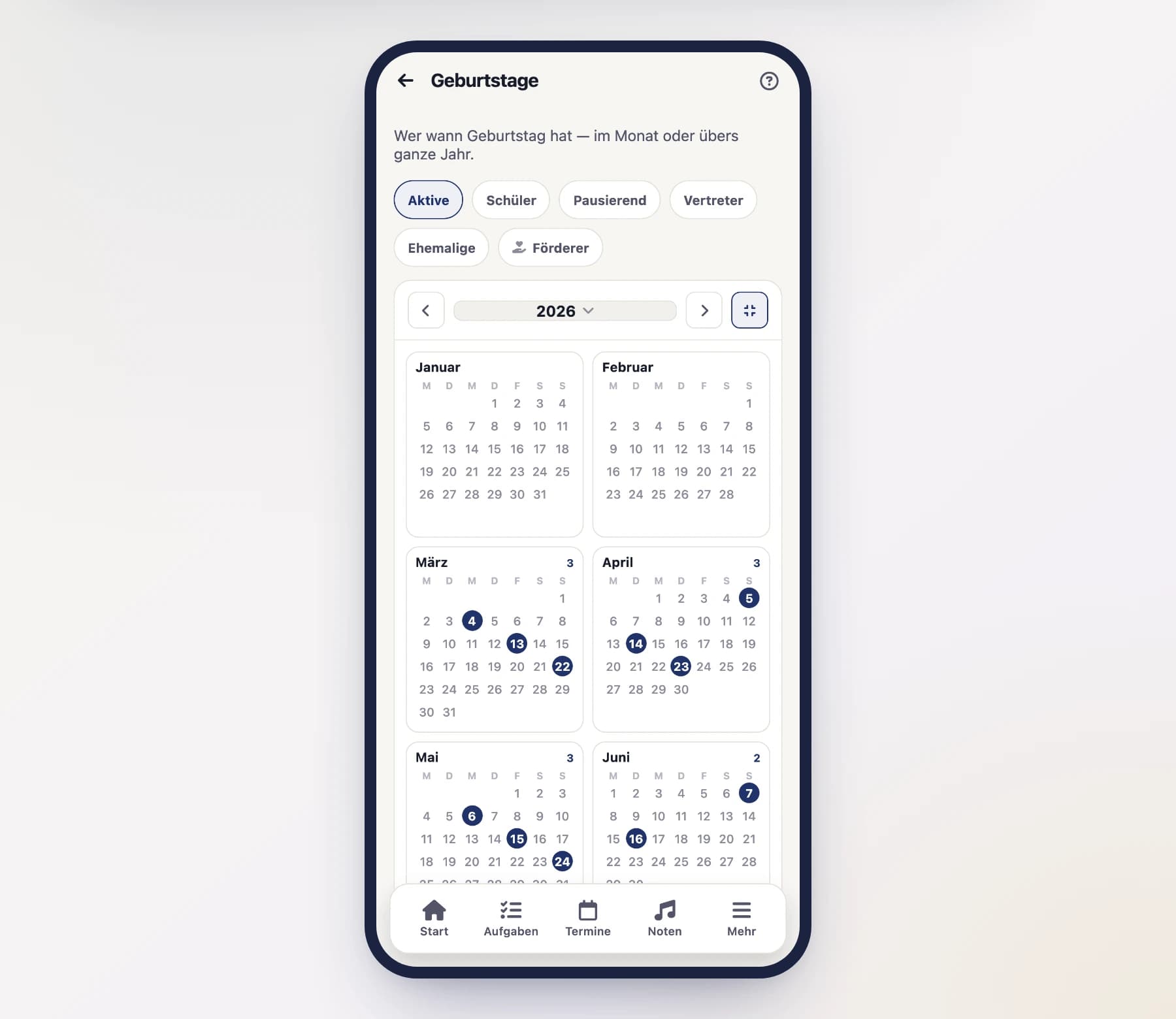
Make the calendar larger and it fills almost the whole screen, showing all twelve month sheets at once – like a wall calendar. Days with a birthday are filled in, the current month is highlighted. On a wide screen more sheets fit side by side and grow accordingly.
- Browsing: the arrows to the left and right of the year.
- Jumping: the year itself opens the year picker.
- Viewing one month large: tap its sheet in the grid – the calendar becomes small again and shows exactly that month.
- Back: ⤡ (smaller) in the header returns to the month you last had open.
In the year you tap months, not days
In the year grid the individual days are markers only – too small to hit reliably. What you tap is the whole sheet; in the month view every day has its full area again.
Below the grid the same months appear once more with the names – each with its count, the current month highlighted. The calendar icon next to a month heading opens that sheet as well. Months without a birthday are left out there – a heading with no names below it would only be scrolling distance.
Who appears in the calendar
Above the calendar there is a row of switches. Active is preset – the active line-up, which is the normal case. Everything else you add as needed:
| Switch | Who it adds |
|---|---|
| Active | Active members (default) |
| Students | Young musicians in training |
| On hold | Members whose membership is paused |
| Deputies | Parents and guardians who do not play themselves |
| Former | People who left but stayed in the register |
| Supporters | Supporting members |
The selection applies in both sizes – to the sheet and the list. If you switch off every member category and leave only Supporters on, the calendar shows supporters only.
Supporters only with the matching permission
The Supporters switch only appears if you are allowed to see your club's supporters anyway. Without that permission the switch is missing – the calendar then shows the register without them.
Where the data comes from
The calendar does not calculate anything of its own: it shows the date of birth from the register entry. If none is stored, that person appears in no month at all. So that this does not go unnoticed, a line below the list says something like “4 people in this selection have no date of birth”.
If someone is missing, add the date in the member register – the calendar follows immediately.
Who may see the calendar?
The birthday calendar is tied to the same permission as the member register. Whoever may see the register also sees the birthdays; whoever may not, does not get the menu entry. A date of birth is register data and is not open to everyone in the club.
The calendar does not remind you
There is no notification for a birthday – the calendar is there to be looked at. If you want a reliable reminder, create an appointment or a task.