Uniform
Reports for tailor-made pieces and a stock for standard items – with inventory, issuing to members and returns.
The uniform feature in SinfoniaOne has two sides, and they stay deliberately separate:
- Reports for the tailor-made pieces (jacket, trousers): every member reports when something doesn't fit or is missing, and the uniform officer works through the reports.
- Uniform stock for the standard items that come in sizes (knee socks, hats, shirts, feathers): with stock levels, issuing and returning.
Tailor-made is not inventory
A jacket sewn for one person can't be passed on — for that there is no size list and no stock, only the report when something is no longer right. Anything that comes in sizes and gets handed around belongs in the uniform stock further down.
For members: "My uniform"
Every member has their own area called "My uniform". There you report when something is wrong with your uniform – or you confirm that everything fits.
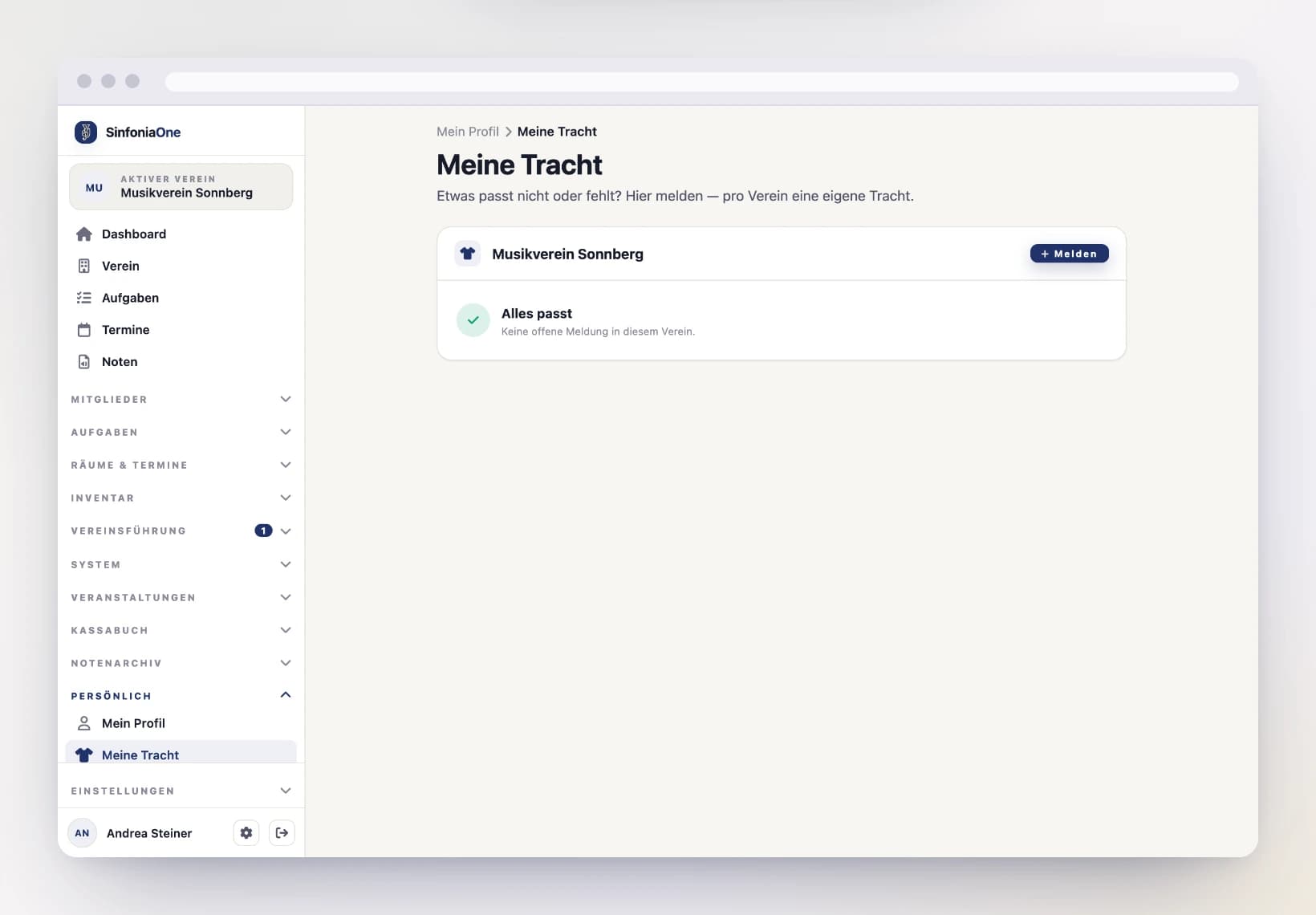
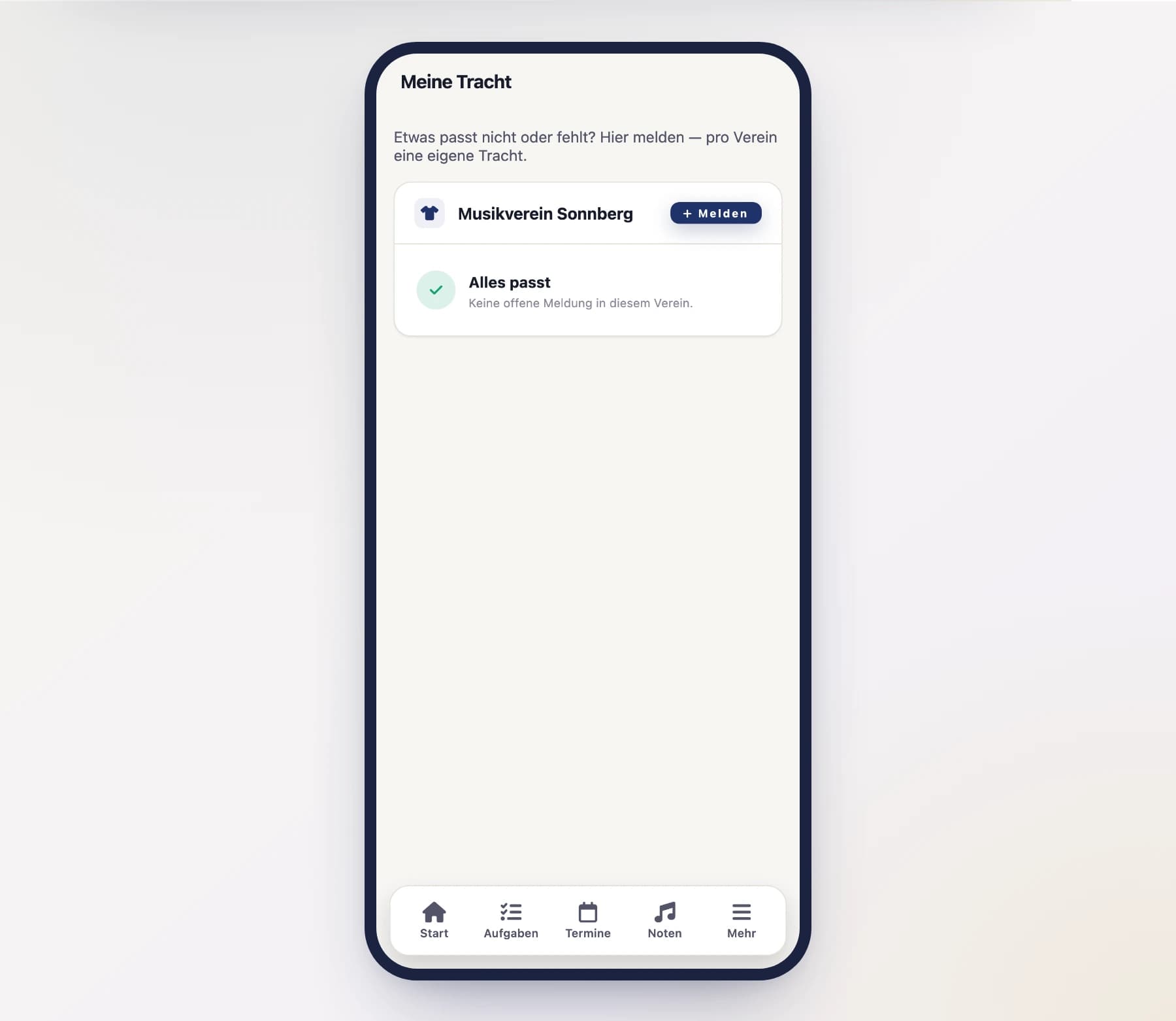
Create a report
Choose the type of report and briefly describe what it's about:
- Doesn't fit – the uniform no longer sits right.
- Missing – a part of your uniform is missing.
- Other – anything else, with a short description.
Submit
After submitting, your report is visible to the uniform officer and counts as open until it's handled.
As long as it's open, it stays in your hands
A report of your own that's still open you can edit or withdraw at any time – for example if the problem resolved itself.
Uniform stock: standard items with inventory
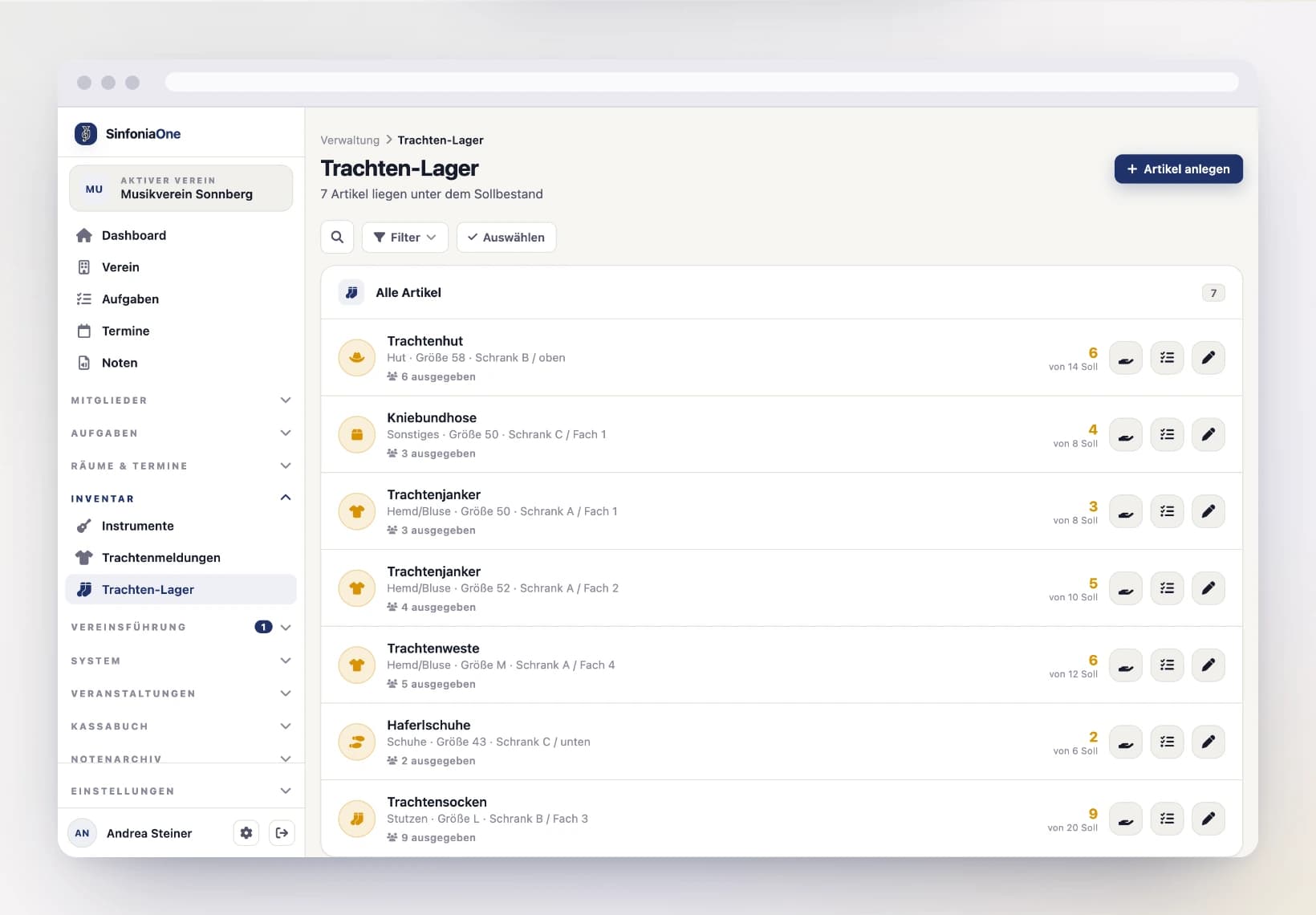
Alongside the made-to-measure pieces there are the standard items: knee socks, hats, shirts, feathers. These come in sizes, get handed out, and eventually need reordering. They have their own list under Inventory → Uniform stock.
Who sees what?
The uniform stock does not show the same thing to everyone:
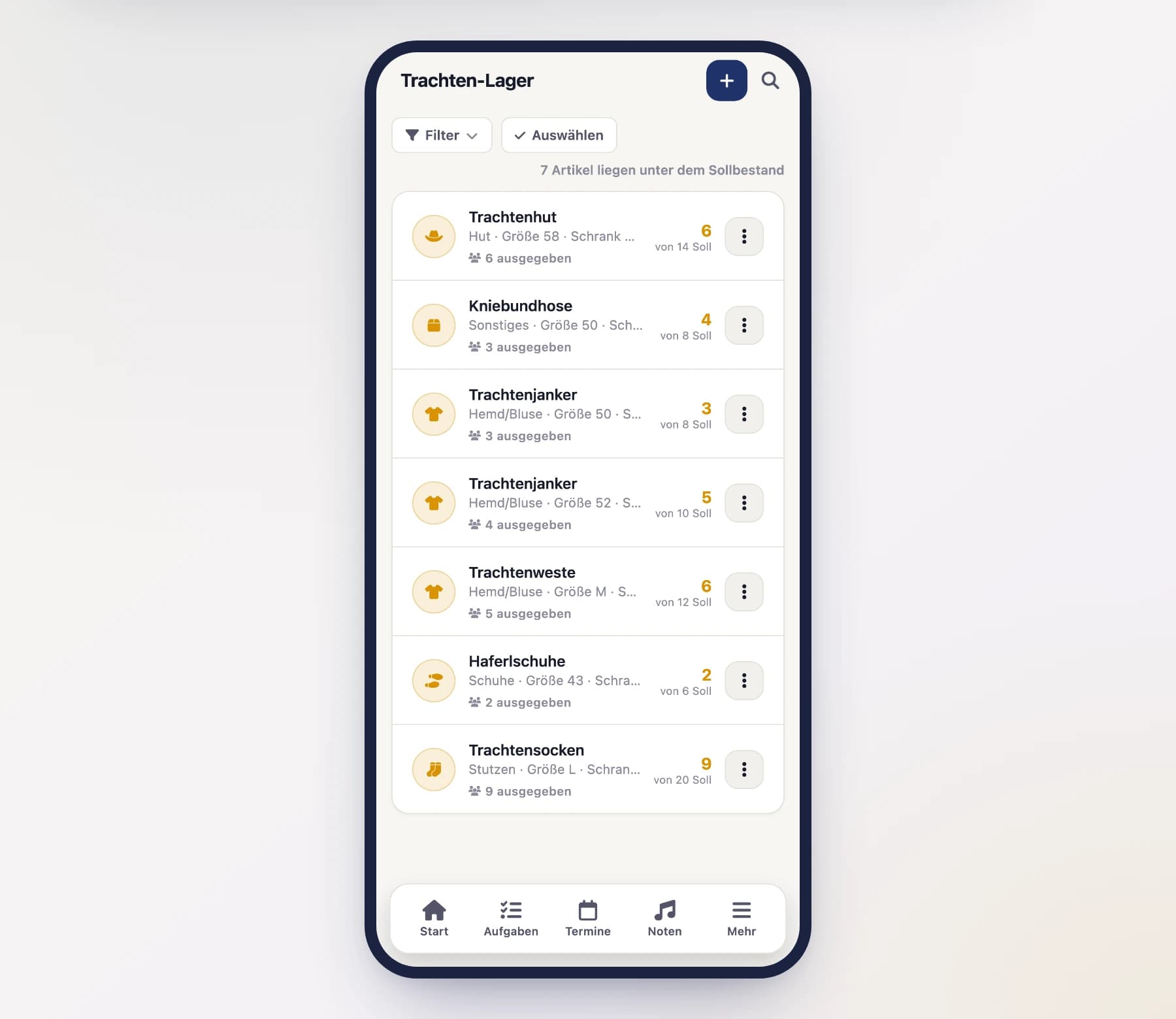
- As a member you only see the items that have been issued to you — what you currently hold and will eventually hand back. The club's stock figures, targets and storage locations stay hidden.
- Uniform officer, secretary, board and administrator see the whole stock.
Every member used to be able to view the complete stock. That has deliberately been taken back: how many pairs of socks the club owns, and which cupboard they sit in, is the business of the people running the stock. If nothing is issued to you, your list is empty — that's not an error, and the app says so right there.
Each item has:
- Name and category (socks, hat, shirt/blouse, shoes, accessory).
- Size — one entry per size, because stock and issues always attach to a specific size. Items without sizing (a club banner, say) simply leave the field empty.
- Total stock — everything the club owns, including the pieces currently with members.
- Target stock — the point at which you should reorder. Leave empty if no target is needed.
- Storage location and a note.
Available stock calculates itself
The list shows on the right how many are available: total stock minus the pieces handed out. You can't enter this value directly — it follows from the issues. That way it can't quietly drift away from reality.
A negative figure is a hint
If the number is negative, more has been handed out than is on record. This is deliberately not rounded up to zero: either a return is missing, or the total stock is wrong.
If items fall below their target, a note appears above the list — time to reorder.
Issuing and taking items back
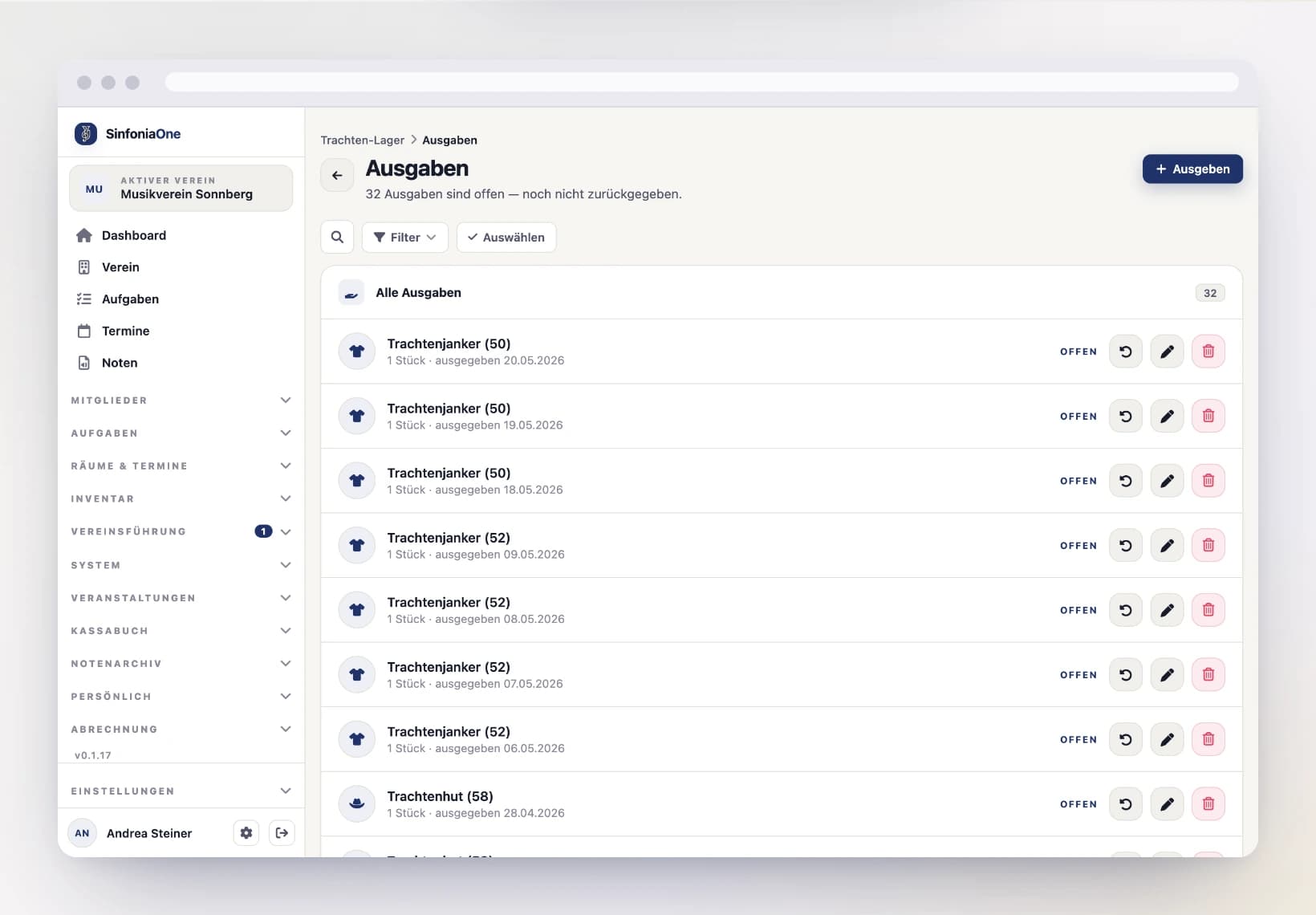
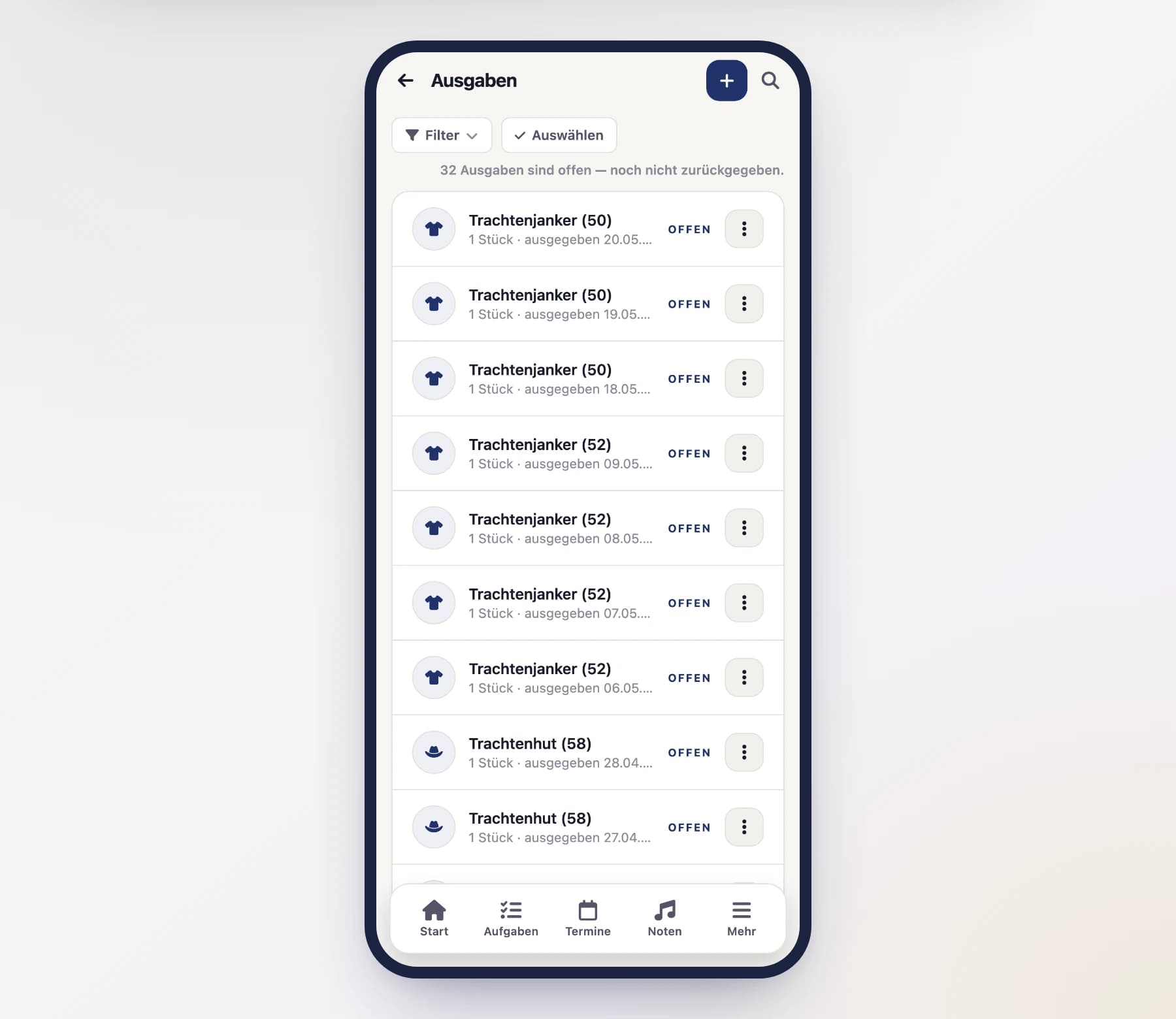
An item belongs to the stock until someone receives it. That issue is recorded: who, what, how many pieces, since when. Issuing is done by whoever manages the uniforms (uniform officer or administrator).
Issue an item
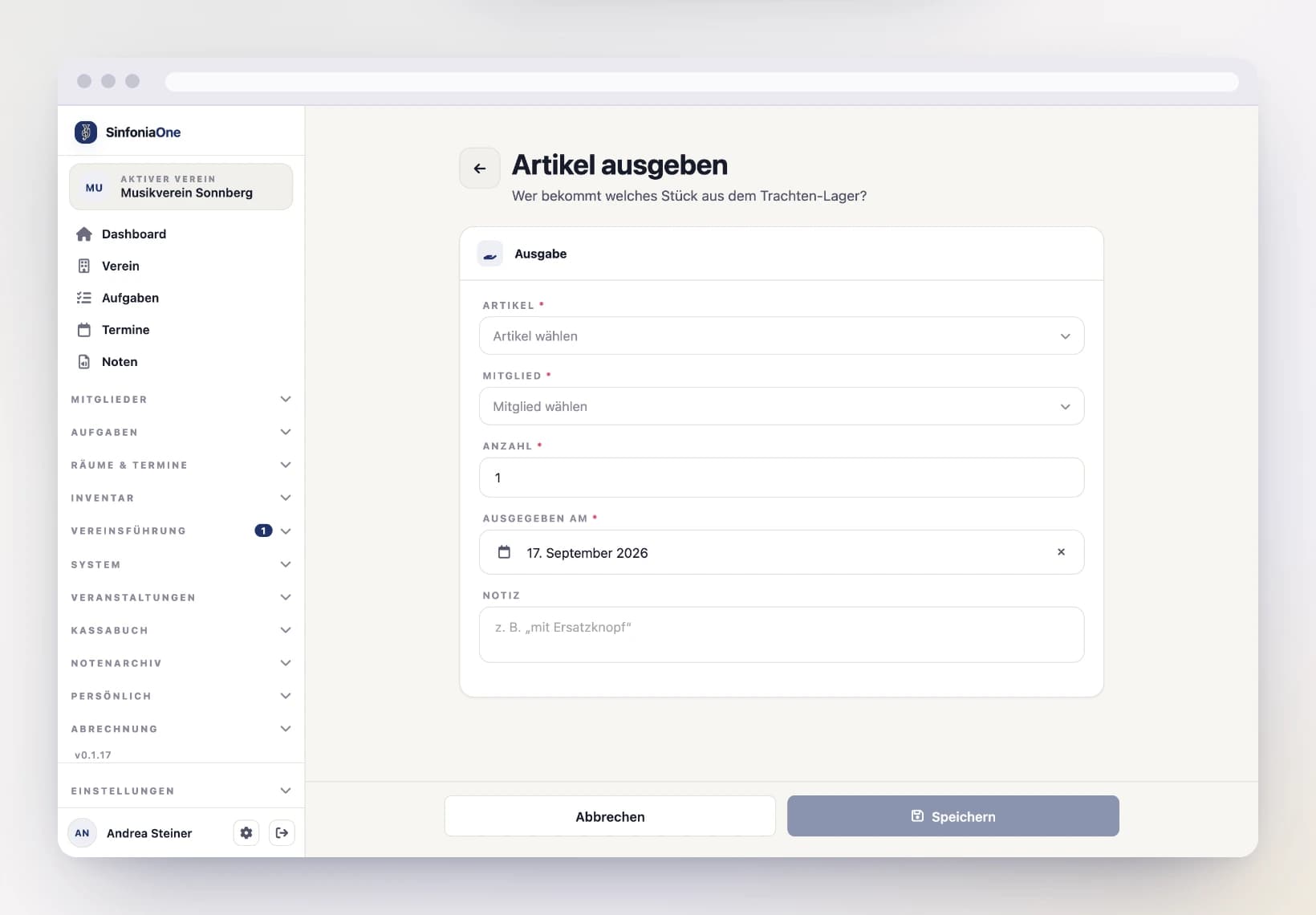
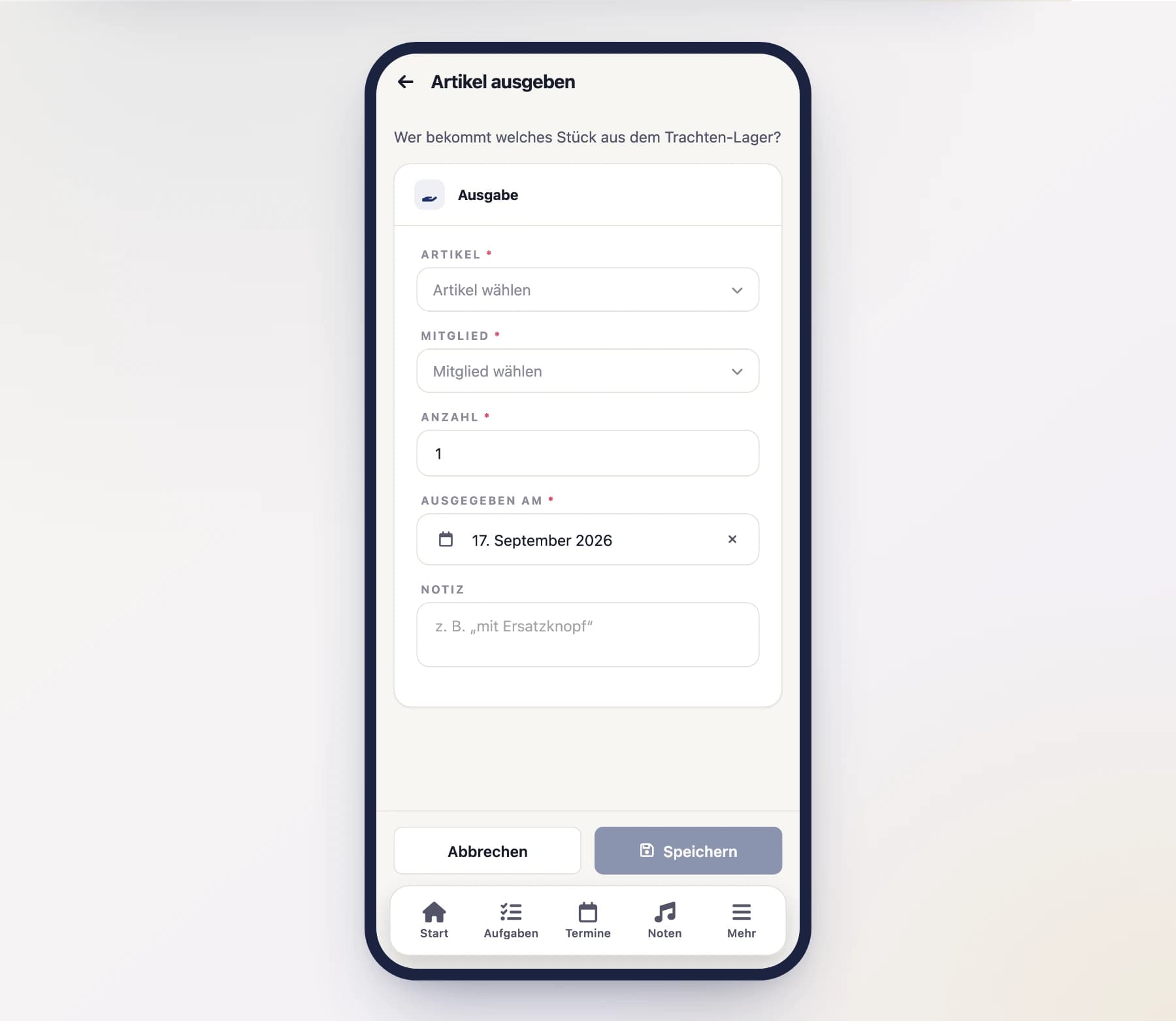
In the uniform stock, tap “Issue” on an item — or, in the member detail, tap “Issue” in the “Uniform stock” section. Depending on where you come from, the item or the member is already filled in.
Enter the member, the quantity, the issue date (today is prefilled) and optionally a note. Below the quantity you can see how many pieces will be left available.
Take it back
When someone brings the piece back, one tap on “Back” in the member detail — or “Returned” in the issue list — is enough. Today's date is used as the return date; a different date can be entered via Edit.
Check who has what
“Issues” on an item shows who currently holds it. The member detail shows the same information from the other direction: what this person currently has.
The stock does the maths
Every issue lowers the available stock, every return raises it again. You never need to count or top up a number — the value follows from the issues. If you hand out more than is available, the app warns you and still saves: the negative figure stays as a visible hint that something is off.
Returned issues don't disappear
An issue stays in the list after the return — so you can trace later who had what and when. The filter defaults to “Issued”; “Returned” and “All” show the history. From the member's own view, however, a returned piece disappears: it is no longer assigned to them.
Downloading stock and issues as spreadsheets
Both lists have an “Export” button at the top and hand you a CSV file:
- From the uniform stock you get name, category, size, total stock, how much of it is issued, how much remains available, the target stock and the storage location. That is the list for reordering — you see at a glance which sizes are running low.
- From the issues you get member, item, size, quantity, issue and return date, and whether the issue is still open. That is the list for the question “who still has something?” — especially when someone leaves.
If you opened the issues from a single item or from a member, the file holds exactly that excerpt — what you have in front of you.
The files open in Excel, LibreOffice or Numbers without any rework: semicolon as the separator, accented characters intact, dates in the form 2026-04-03.
Downloading is a separate permission
Only those with the permission see the button: uniform officer, secretary, board and administrator — the same people who see the entire stock. An ordinary member does not; they only have their own issued items in front of them anyway. You can also grant the permission to a custom role in the role editor.
For the uniform officer: managing all reports
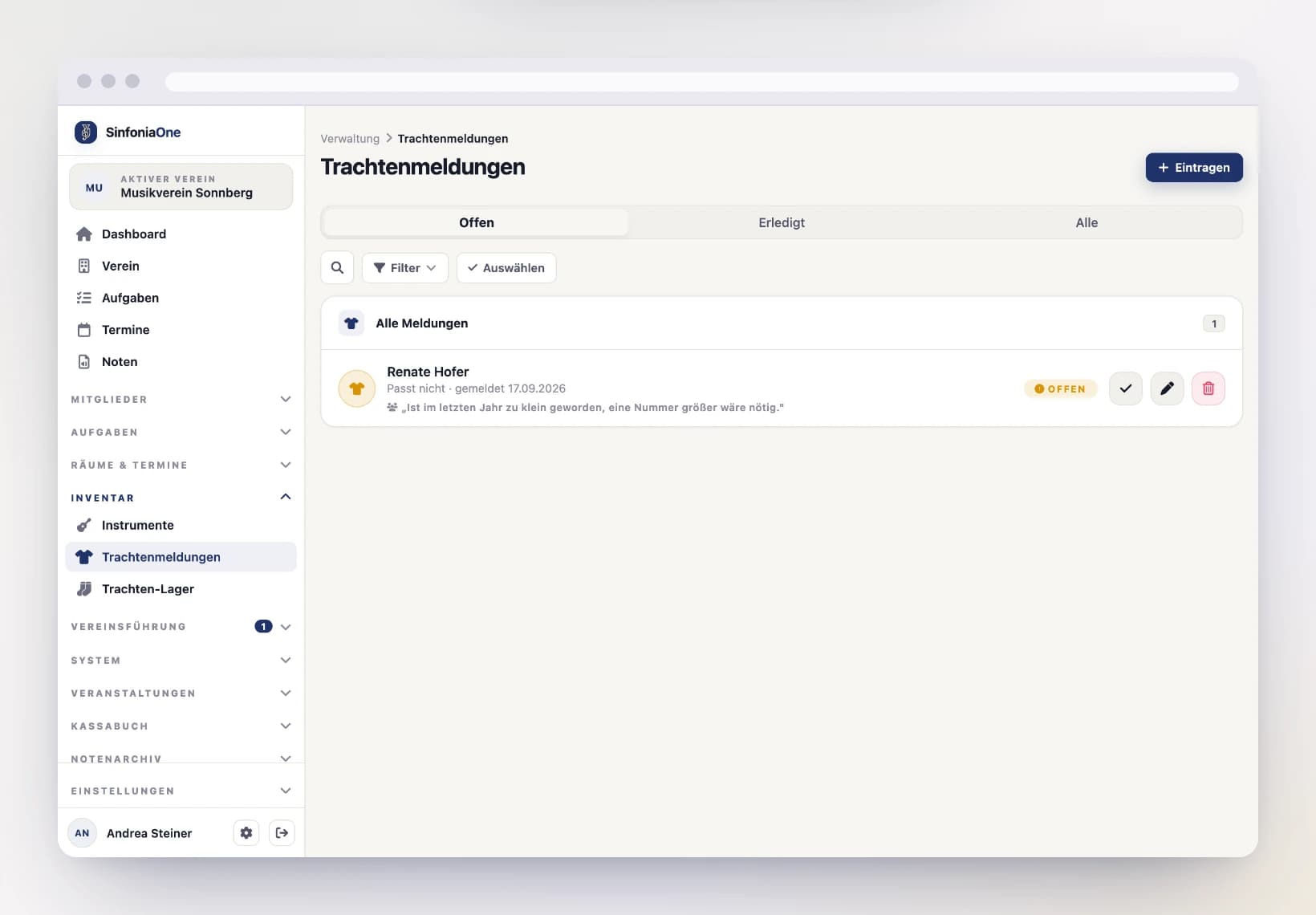
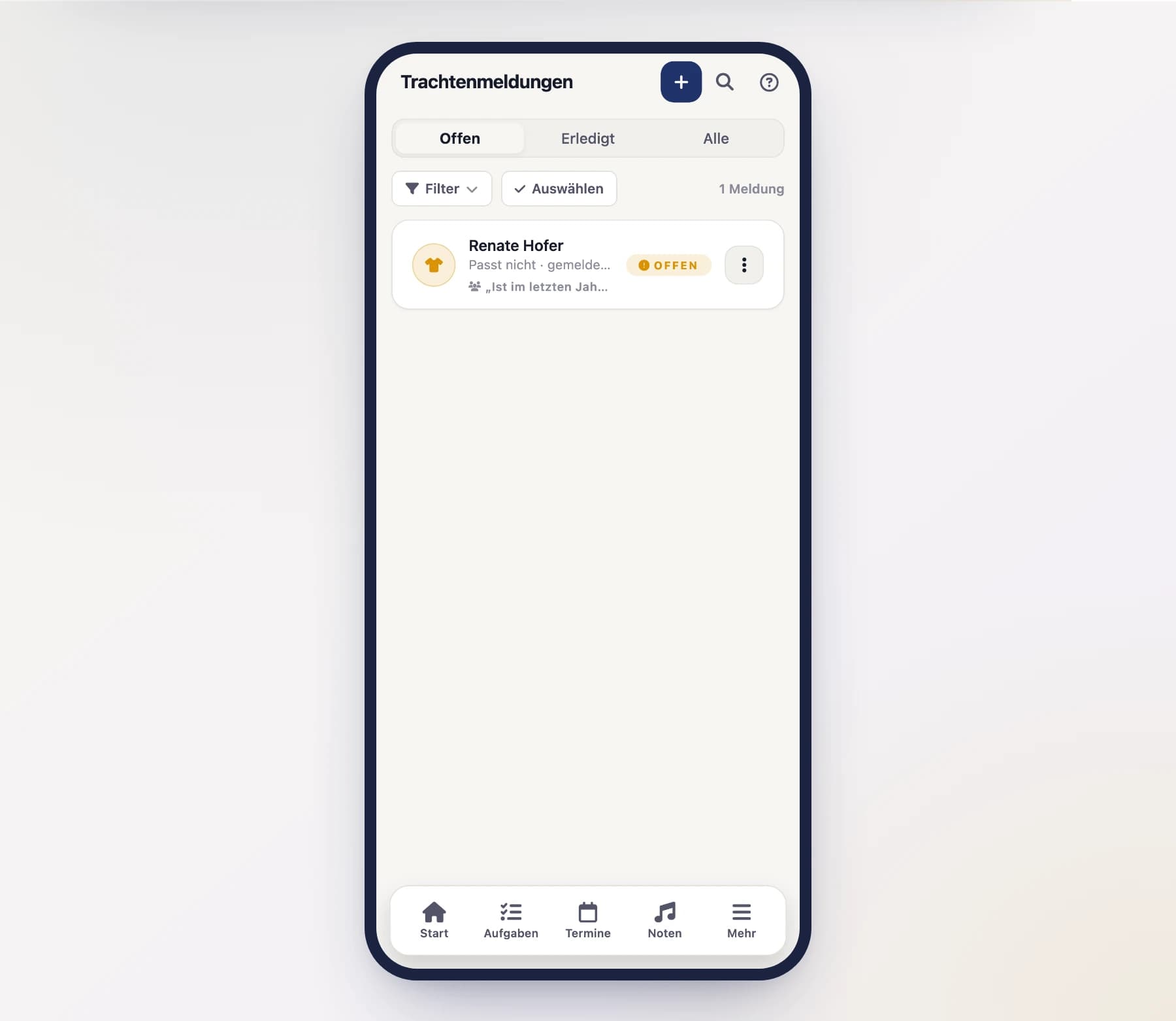
As the uniform officer (uniform archivist) you see the reports of all members and work through them.
Open the reports
Open the uniform reports area from the menu. You can switch between Open, Done and All.
Record on someone's behalf
If someone reports a problem to you in person (e.g. at the bar), you can enter the report for that member – you don't have to wait until they do it themselves in the app.
Close a report
Once the problem is solved, you close the report and can leave a note (e.g. "altered at the tailor"). It then moves from Open to Done.
Reopen if needed
If not everything was resolved after all, you can reopen a closed report at any time.
Several at once
After a performance half the band returns at the same time. Tap “Select” to tick several issues and record the return for all of them; on the reports list you can resolve or reopen several together the same way. See Working on several entries at once.
Invitations
Add new members with an invitation link – no join request needed – and trigger a password reset when someone is locked out.
Meeting minutes
Document meetings – create a set of minutes, write them together in real time, upload old minutes as PDFs or scans, search the minutes text and send them as a PDF.