Instruments
Your club's instrument inventory – personal and club instruments, loans with a loan fee, and damage reports.
In the instrument inventory you record which instruments your club has – the ones owned by the club as well as your members' private instruments. That way you always know what's around, who has borrowed which club instrument, and whether a damage report has been filed anywhere.
What belongs to an instrument
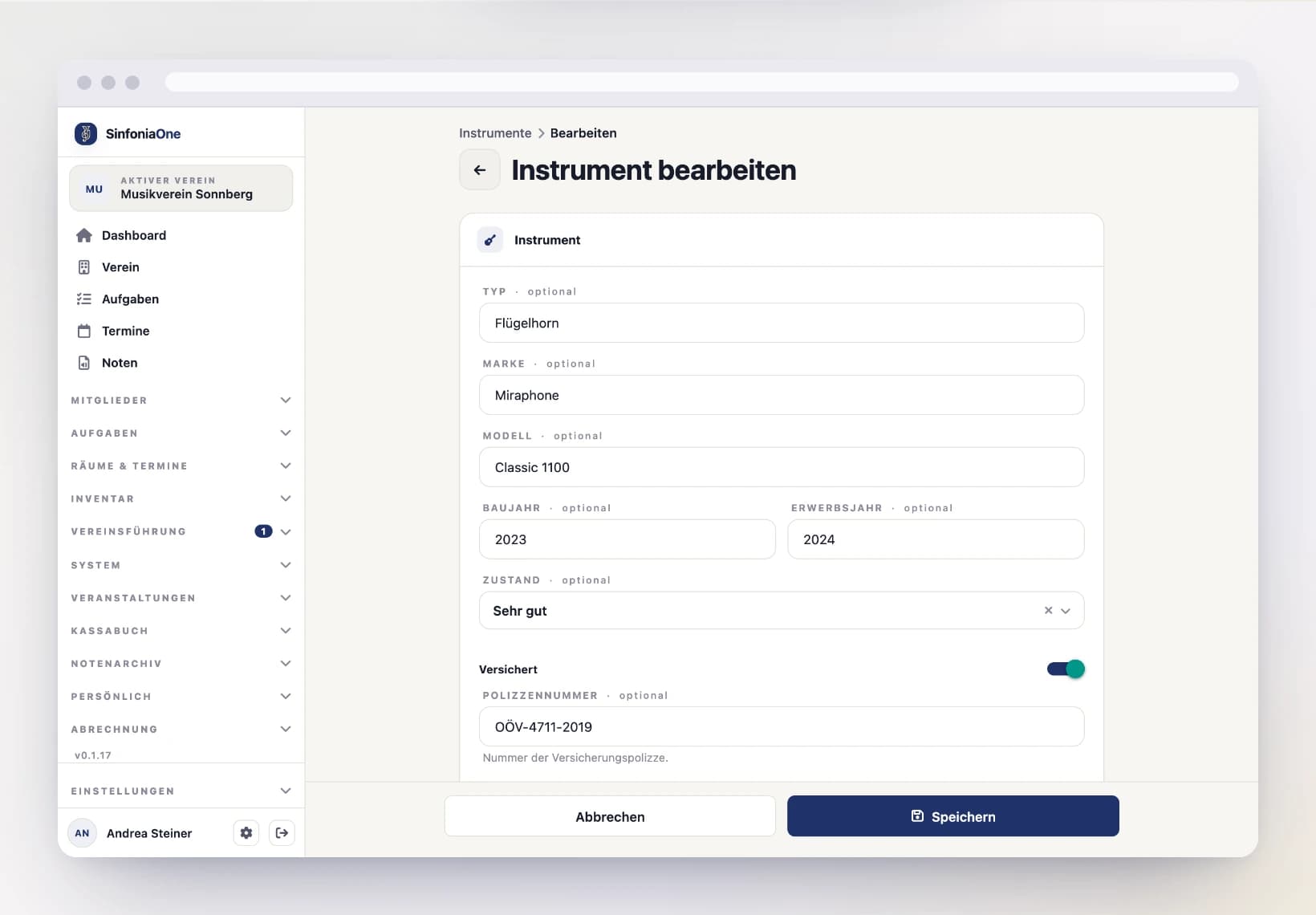
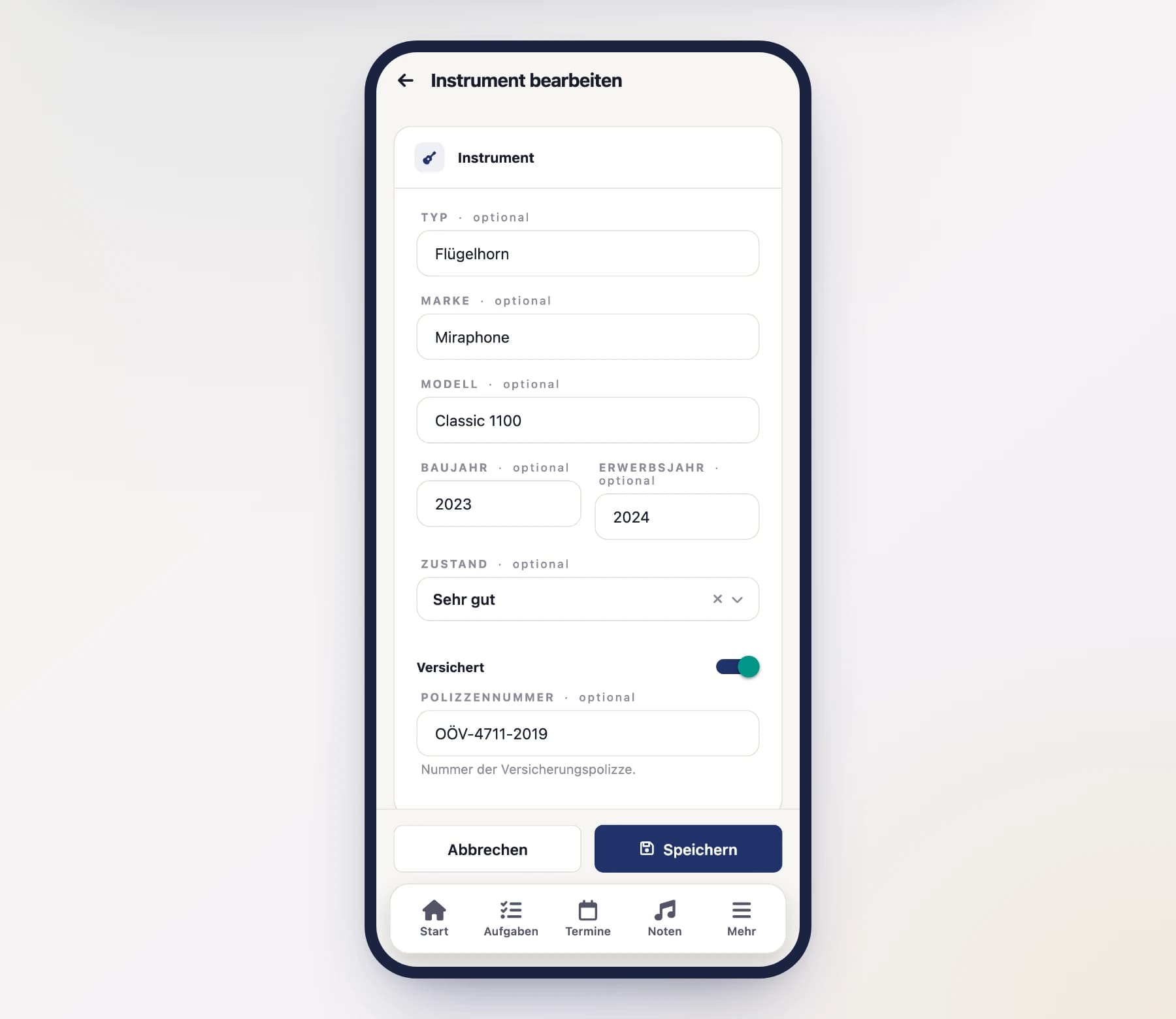
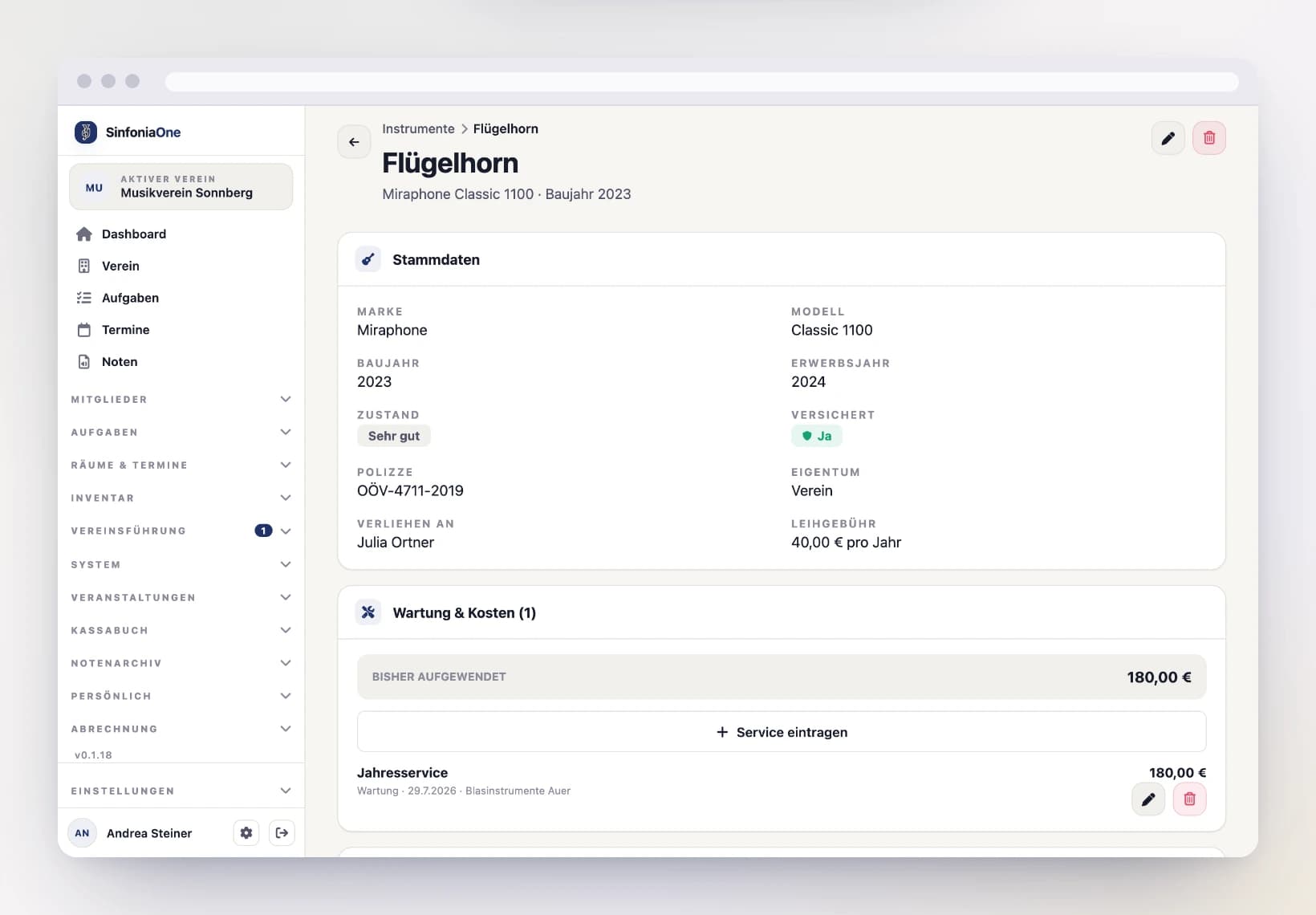
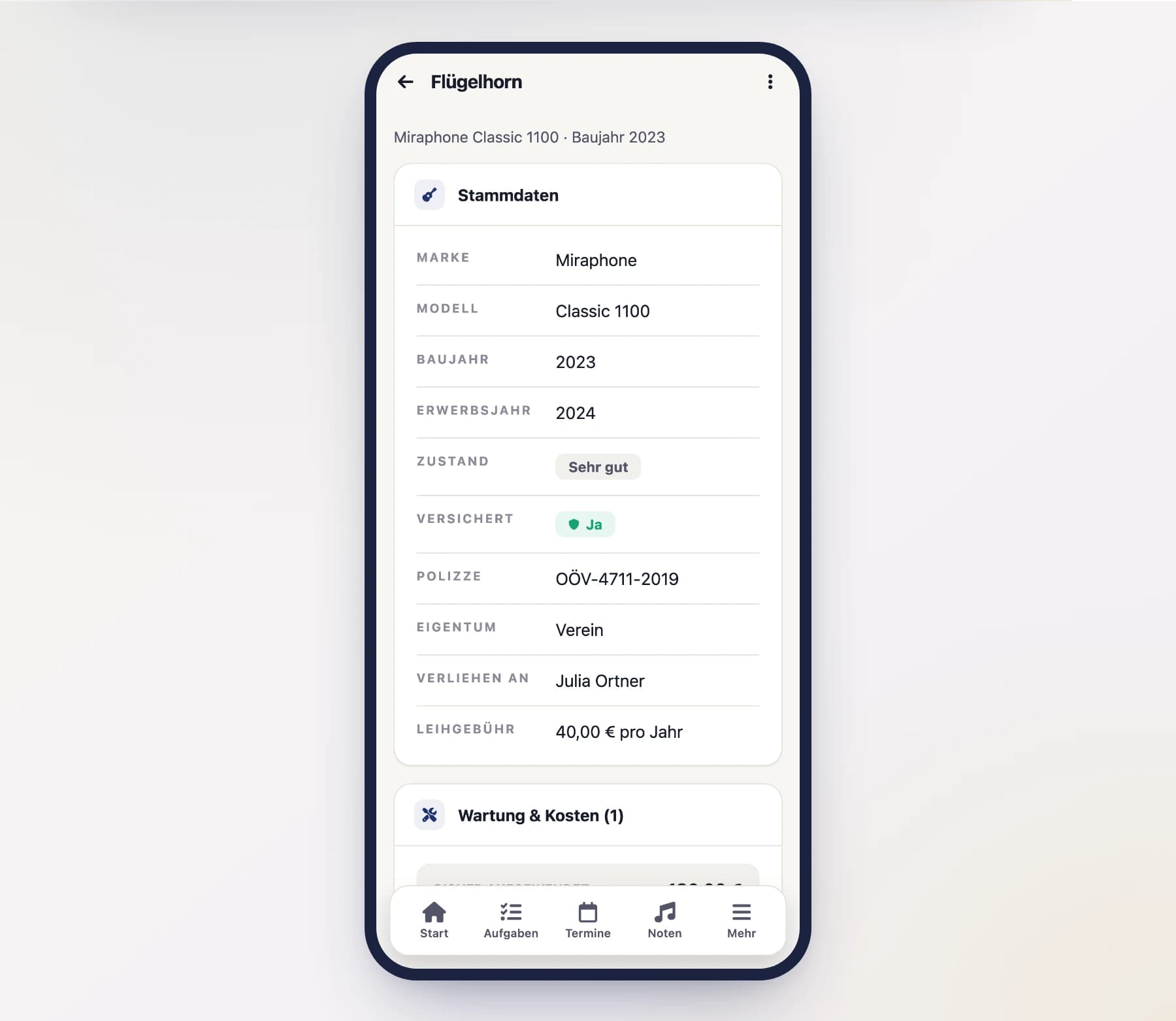
For each instrument you can record the following details:
- Type – the kind of instrument as free text, e.g. trumpet, tenor horn, clarinet.
- Brand and model – e.g. "Yamaha", "YCL-450".
- Year built – when the instrument was made.
- Year acquired – when it came to the club.
- Condition – very good, good, fair or poor.
- Insured – whether the instrument is covered by insurance. If it's insured, you can also store the policy number.
- Notes – room for anything else.
- Attachments – e.g. a photo or the purchase invoice. Attached photos open right in the app with a tap; other files (e.g. PDFs) open for viewing.
Add photos from your phone
In the app you add photos straight from your gallery or with the camera; pick PDFs and other documents via “Choose file”. On a computer just drag them onto the dashed field — several at once if you like.
Adding an instrument
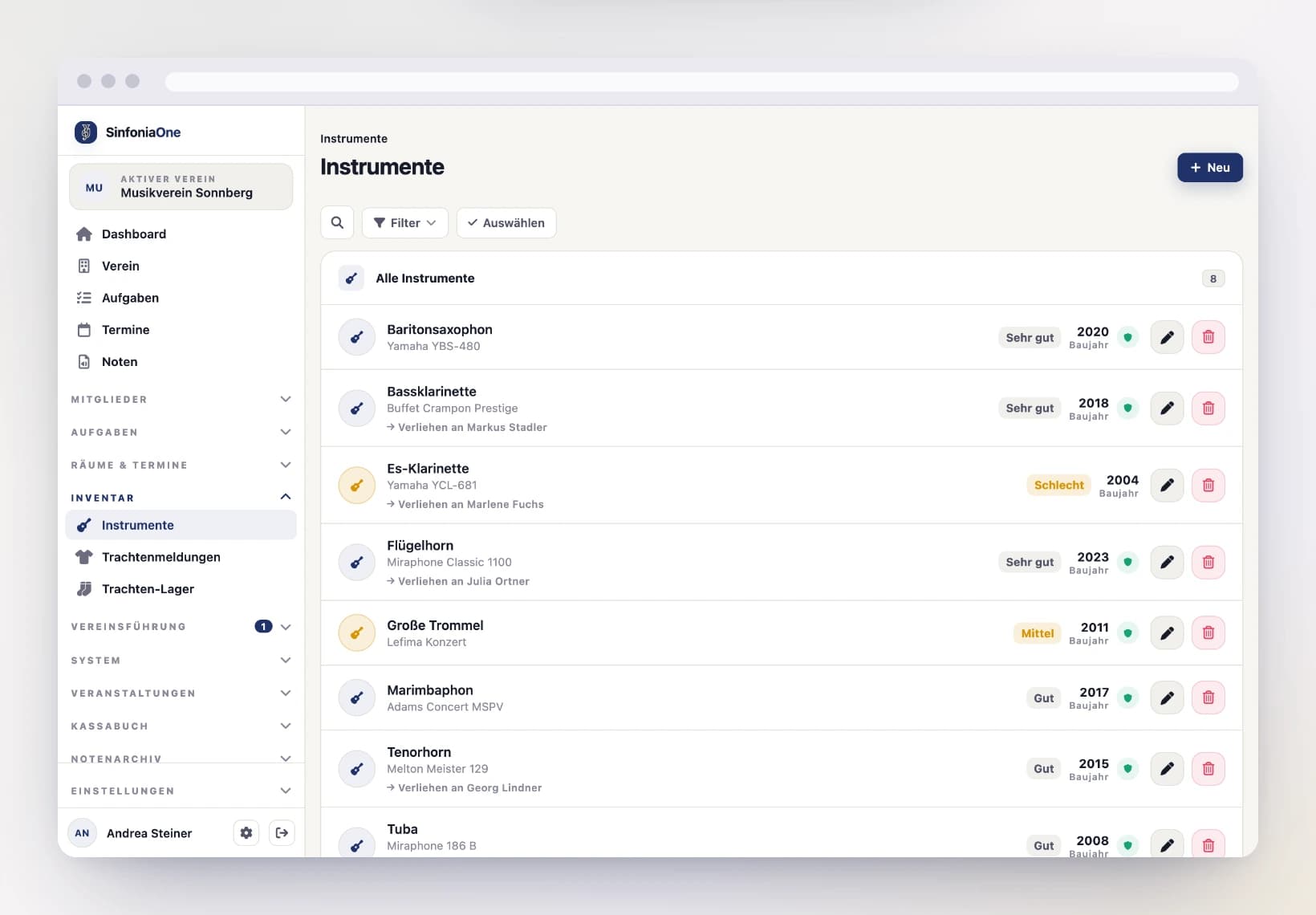
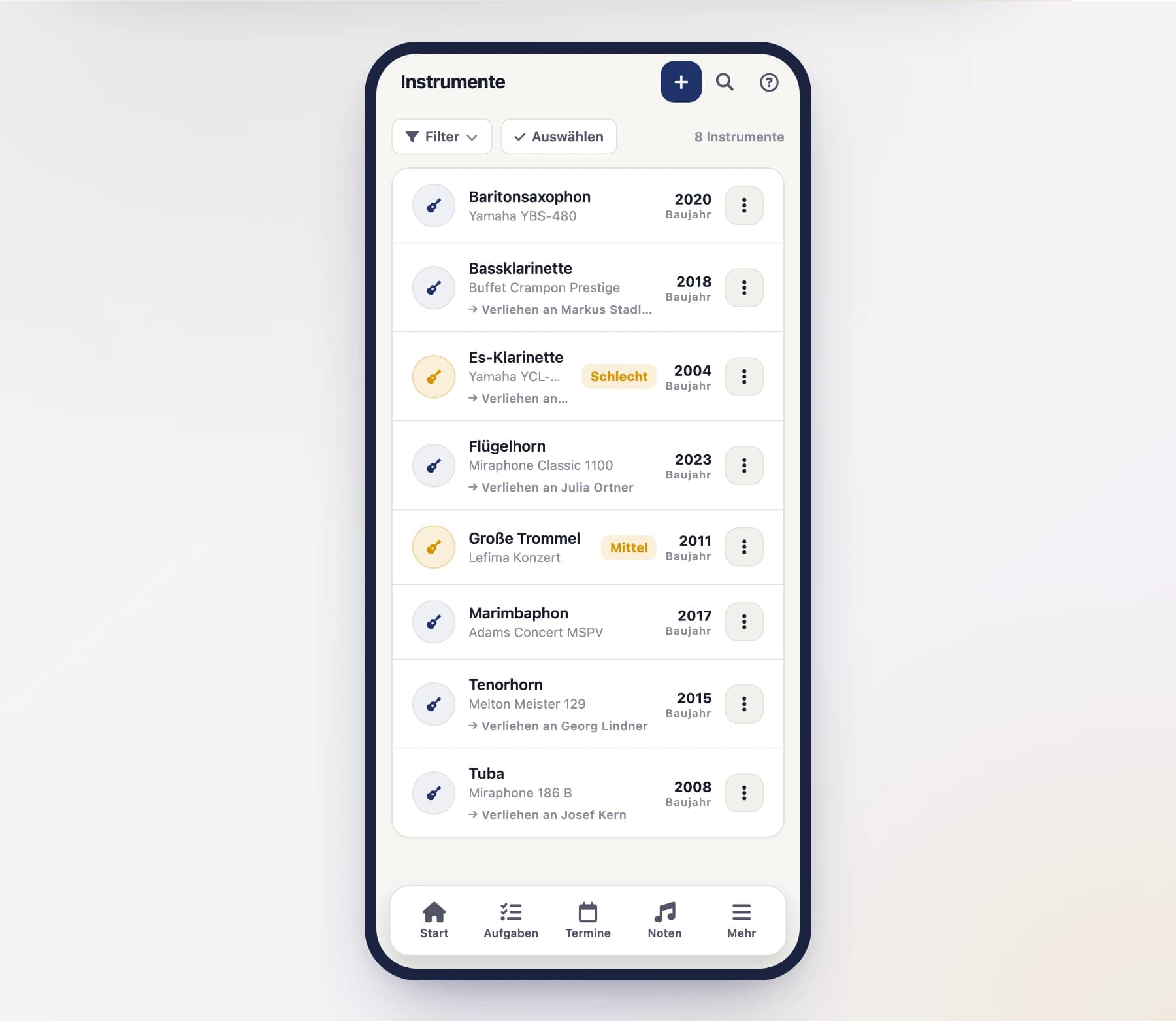
Create a new instrument
Tap "New" and enter the type, brand, model, year built and acquired, condition and the other details.
Set ownership and save
Decide whether it's a member's personal instrument or a club instrument (see the next section). Then Save.
Sorting and filtering the list
By default the instrument list is ordered alphabetically by instrument – all clarinets together, all trumpets together. The “Filter” button above the list changes that:
- Sort order – Instrument A–Z or Z–A, Brand A–Z, or by year built (newest or oldest first). That puts the instruments that have been in service longest side by side.
- Ownership – club-owned, privately owned, or only the instruments currently on loan.
- Condition – only the instruments in a given condition, for example everything marked poor.
The search above it covers instrument, brand, model, year built and the names of owners and borrowers at once. You don’t need to type umlauts: “flugelhorn” also finds the Flügelhorn.
Your choice sticks
The app remembers what you picked for as long as it stays open – after a restart the list is complete again. When something is set, the count appears on the filter button, and “Reset” next to it clears everything.
Each row leads with the instrument, with brand and model below it and – if there is one – the person who owns it or has borrowed it. The year built sits in its own column on the right, so the years line up when you sort by them. A phone only shows the condition where it asks you to take a look – for fair and poor; on a computer there is room for all four.
Personal instrument or club instrument
For every instrument you state who owns it:
A personal instrument belongs to a member personally. You record it for the club's benefit – for insurance or an overview, say – but it stays private property. Just assign it to the relevant member.
A club instrument belongs to the club. It can sit in stock or be loaned to a member. If it's loaned out, you pick the person under "loaned to".
For loaned club instruments you can also set a loan fee per year in euros. This fee is automatically carried over into the cash book, where you can collect it, invoice it and take payment.
Loan fees land in the cash book
To learn how to turn loan fees into an invoice and mark them as paid, read Loan fees & invoices.
Reporting damage
If something on an instrument is broken, you record it as a damage report right on the instrument. That keeps the instrument's history traceable – especially for insurance.
A damage report includes:
- Date of the damage.
- Description of what happened.
- Damage amount in euros.
- Insurance reimbursement – what the insurer paid back.
- Receipts – e.g. photos or the repair invoice.
Open the instrument
Open the affected instrument in the instrument list.
Record the damage
Choose "Report damage", enter the date, description, damage amount and – if already known – the insurance reimbursement, and attach the receipts.
Save
After saving, the damage appears in the instrument's history.
Recording servicing and costs
Under "Servicing & costs" on the instrument you record what was done to it and what it cost. At the top sits the total "Spent so far" — an at-a-glance view of what has gone into this instrument over the years.
Each entry has:
- Date the work was carried out.
- Type: servicing, repair, accessory, purchase, or other.
- Label — briefly what was done, e.g. "Annual service".
- Description for details.
- Workshop / dealer.
- Cost in euros.
A report and the work done are two different things
A damage report is the note "something's wrong here" — usually from the musician. A service entry records what was actually done about it and what it cost. You can link the two: when creating a service entry, pick the matching damage report. An annual service, by contrast, needs no report at all.
Leaving the cost empty is fine
If something was repaired under warranty, simply leave the cost field empty. The list then shows "—" and the total stays untouched. Entering €0, on the other hand, means it genuinely cost nothing.
No automatic cash book entry
A service entry does not create a booking in the cash book — the costs live only in the instrument's history. If you keep both, record the expense in the cash book as usual. That way the journal stays in your hands and nothing is duplicated.
Downloading the list as a spreadsheet
“Export” above the list gives you the inventory as a CSV file — the statement your insurer and tax advisor ask for. It holds type, brand, model, year built, year acquired, condition, whether the instrument is insured including the policy number, who owns it, who it is on loan to, the rental fee and what has been spent on servicing so far.
The file opens in Excel, LibreOffice or Numbers without any rework: semicolon as the separator, accented characters intact, amounts with a decimal comma, dates in the form 2026-04-03.
Notes are not in the file
The notes field is deliberately left out. It often holds remarks about a person — and a file you pass on should not carry those. Whoever needs them reads them on the instrument.
Downloading is a separate permission
Only those with the permission see the button: instrument archivist, secretary, board and administrator — the same people who see the entire inventory. Anyone who only has their own instrument in front of them does not get the button: a file with a full header row and no rows would read as “the club has nothing on record”. You can also grant the permission to a custom role in the role editor — it then also needs the permission to manage instruments.
Who sees which instruments
Members only see their own
A regular member only sees their own instruments in the instrument list, plus the club instruments loaned to them. Only someone with the right to manage instruments – such as the board or an administrator – sees the club's complete inventory.