Settings
Choose the app's appearance, control push and email notifications, report bugs, and read the legal information.
In Settings you tailor SinfoniaOne to yourself: how the app looks and what it tells you about.
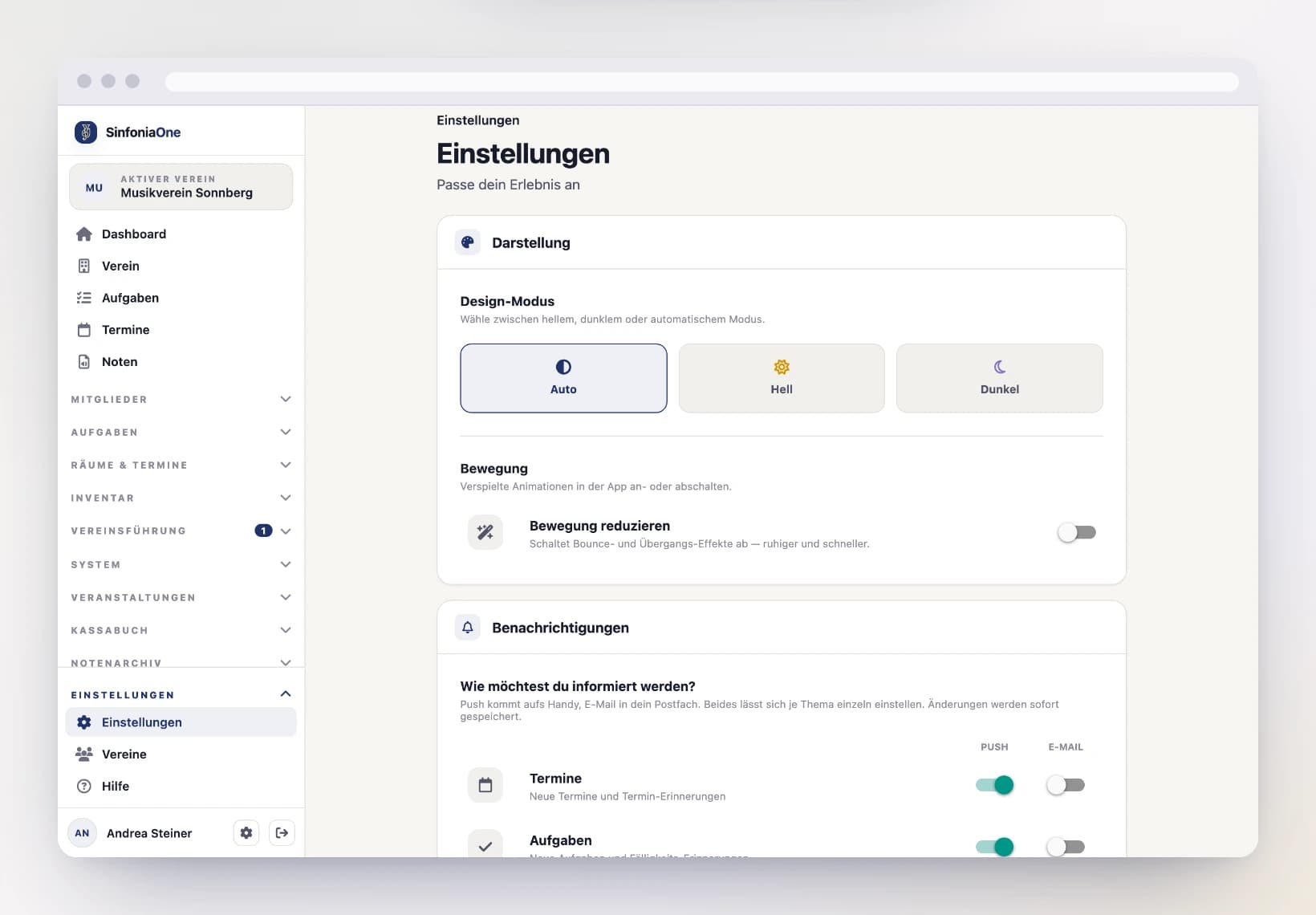
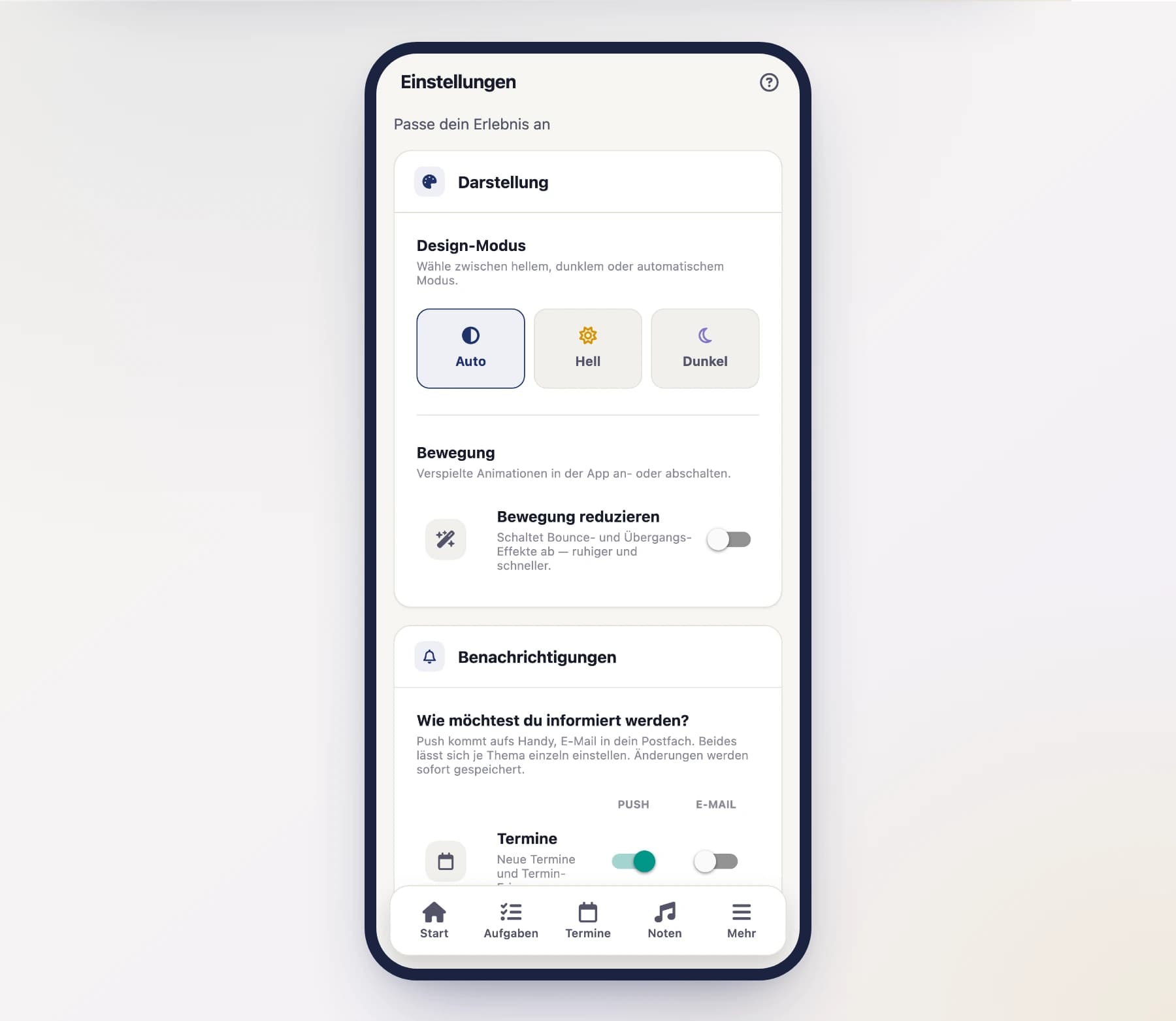
Appearance: Light, Dark, or Automatic
Under "Appearance" you choose how light or dark the app is:
- Automatic – the app follows your device. If your phone switches to dark in the evening, SinfoniaOne turns dark too.
- Light – light background, good in daylight.
- Dark – dark background.
Dark for the rehearsal room
In a dimmed rehearsal room or on stage, the dark appearance is easier on the eyes and doesn't dazzle your neighbors. Many musicians set it permanently to Dark for that reason.
Motion: Animations on or off
SinfoniaOne accompanies actions with small, playful animations – for example when you open a picker or tap a button. If you prefer things calm and fast, you can turn them off in the "Motion" section with "Reduce motion". The setting is saved for you and also applies on your other devices.
On by default
The animations are normally switched on. If you've enabled "Reduce motion" on your device (in the accessibility settings), SinfoniaOne automatically respects that – regardless of this setting.
Notifications: push and email
SinfoniaOne can reach you in two ways:
- Push – a short alert on your device, even when the app is closed.
- Email – the same information in your inbox.
You choose the way for each topic individually — both, one, or neither. The switches sit side by side in the Push and Email columns:
- Events – new events, changes, cancellations, and reminders.
- Tasks – when a task is assigned to you or a deadline is approaching.
- Meeting minutes – when new minutes have been sent out.
- Join requests – when someone wants to join your club (only if you're allowed to handle such requests).
- Shift assignments – when you're assigned to a shift at an event.
- Uniform reports – when a member reports damage to or loss of a uniform (only if you manage the uniforms).
- Honours preview – the yearly reminder of which honours are coming up this year (only for the secretary and the chairperson).
- Sheet music import – the reminder one week before an abandoned import draft is removed along with its files (only for music archivists and administrators).
Changes are saved immediately.
Push is on, email is off
Push is on by default, email is off by default — your inbox stays quiet unless you decide otherwise. If you'd also like emails about a topic, switch it on in the Email column. Conversely, just switch off any push alerts you find distracting.
When does email make sense?
If you rarely use the app on your phone, or prefer reading about events at your computer. It's also handy for meeting minutes, which most people read at a screen anyway. A button in the email takes you straight to the right place in SinfoniaOne.
No email address, no email
Emails go to the address on your user account. If none is stored there, the email switch has no effect.
Respond straight from the notification
For event and task notifications you can respond without opening the app: press and hold the notification or expand it – then buttons appear.
- For an event: Accept or Decline.
- For a task: Done.
Tapping the notification itself (not a button) takes you straight to the right place in the app.
Report a bug or wish
Spotted a bug or wishing for something? Via "Report a bug or wish" you send your feedback directly to the SinfoniaOne team. Briefly describe what happened or what you have in mind – it helps us improve the app.
Legal
At the very bottom of the settings you'll find the legal information:
- Terms of Service – the terms of use. When a new version comes out, you'll be asked to agree to it again the next time you open the app.
- Imprint – who's behind the app.
- Privacy Policy – the full privacy policy, right inside the app to read (including the note about the address suggestions via OpenStreetMap).
Available without signing in
The imprint, the privacy policy and the form for reporting infringements are also linked at the bottom of the login and sign-up pages. You don't need an account for them – handy when someone wants to read who is behind the app before signing up.
That's also where you'll find the current app version – handy if you want to include it when reporting a bug.