Help & tours
Short in-app introductions — offered on your first visit, repeatable at any time.
A tour is a short introduction to one area of the app — inside the app itself, not in a video. It walks you screen by screen and explains in two or three sentences what you see and what you do there. It takes one to two minutes.
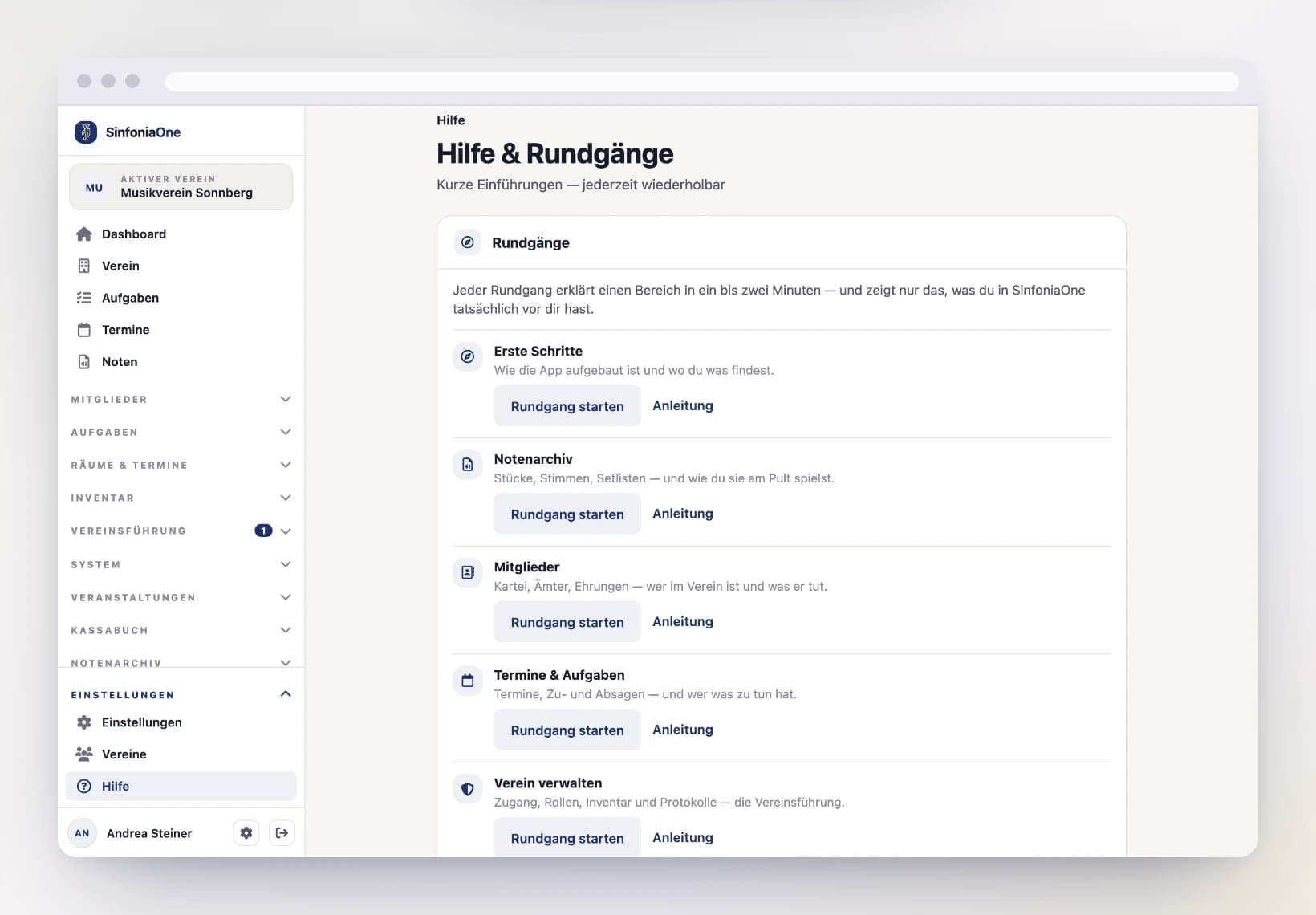
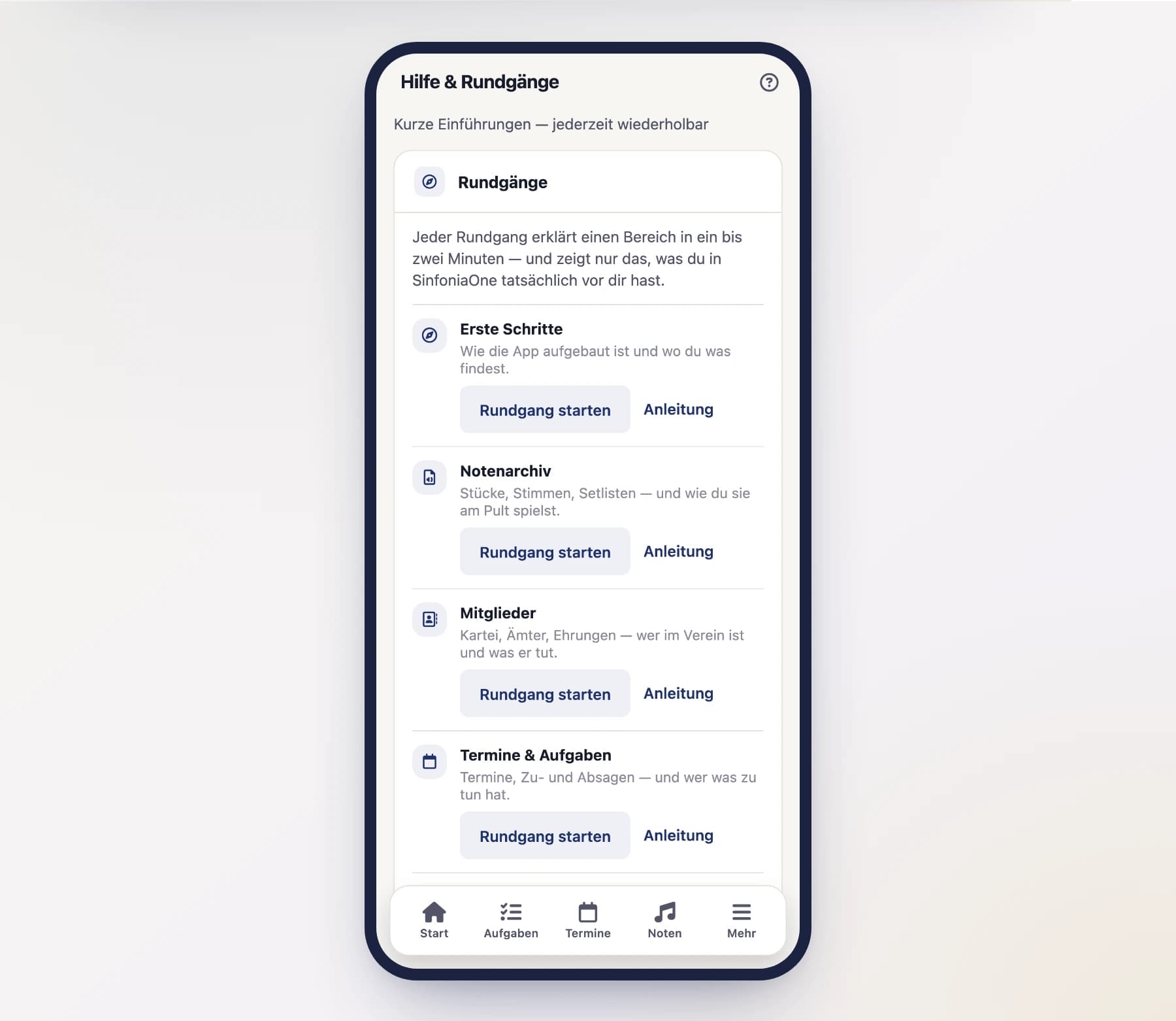
You are asked on your first visit
The first time you open an area, SinfoniaOne asks at the bottom of the screen whether you would like the tour. You decide:
- “Yes, show me” — the tour starts right away.
- “No thanks” — you will never be asked about this area again.
The question belongs to the area you are currently in. If you move on through the menu without answering, it disappears and the new area is offered instead — it never gets in your way.
Your answer applies everywhere
What you declined on your phone will not ask again on your computer: the answer belongs to your account, not to the device. A question you simply clicked away comes back next time — you did not decline it, after all.
During a tour
A tour runs inside the app, not beside it: it moves to the screen in question itself, and the card at the bottom explains what you see there.
When a step points at something specific — the list, the filter row, a single card, the menu — everything else is dimmed so it is clear what is meant. If that part is below the edge of the screen, the tour scrolls to it by itself. When a step is about the whole screen, nothing is dimmed: a spotlight covering everything highlights nothing.
On a phone the card shows the main text only; tap “Einzelheiten” for the details. The arrow in the header folds the text away entirely when you want to look around.
Where it helps, a tour also opens a real detail page — the first member of your roster, say, or a piece from your archive. It only ever shows what you are allowed to see anyway, and never changes anything. If nothing has been created yet, the step simply stays on the list.
- Next and Back move through the steps; the bar shows how far along you are.
- Learn more opens the detailed page for the current step.
- The ✕ in the top right ends the tour immediately; you stay where you are.
Card in the way?
In the browser it sits to the right of the content, on your phone at the bottom — and the tour scrolls so that what is being explained ends up beside it, not underneath. If it still covers something, just drag it away: the header with the grip symbol moves the card freely. The next tour starts it back in its usual place.
Repeat a tour any time
Declining does not lose anything. You can start any tour yourself, as often as you like:
Open “Help” — on your phone under More, in the browser at the bottom of the left-hand menu. It is also available via Settings → Help.
Find the area in the list and tap “Start tour”.
The tour starts at its first step, no matter where you were before.
Help for the screen you are on
There is a ? in the top right of the header. It offers exactly two things:
- Start tour — for the area you are currently in.
- Read the guide — opens the detailed page for this very screen.
The ? only appears where there is something to show.
You only see what applies to you
A tour shows the same things as your menu — only what you are allowed to use and what your club has. As a music librarian you hear about the sheet music archive, as a treasurer about the cash book.
This holds down to the individual sentence: if you may view events but not create them, the tour explains the event list — and leaves out how to create one. It never describes a button you do not have. Anything your club has not unlocked is mentioned in one closing step instead of walking you past locked doors.
A tour is not the manual
It explains where things are and what they are for. All the details are here in the guide — every step links straight to the matching page via “Learn more”.